
Understanding how your customers interact with your business sounds simple until you sit down to actually map it out. You need to see where people get confused, where they drop off, and what makes them stick around. The problem is choosing the right software when you’re staring at dozens of customer journey mapping tools that all claim to be the best. Some cost hundreds per month. Others promise they’re free but hide features behind paywalls. You’ve probably tried a few already and felt overwhelmed by complexity or disappointed by missing features.
This article breaks down 16 of the best customer journey mapping tools available right now. You’ll see what each one actually does, who benefits most from using it, and whether it offers a free version or trial. We’ve organized everything so you can compare features and pricing without getting lost in marketing talk. By the end, you’ll know exactly which tool fits your needs and budget.
1. Miro
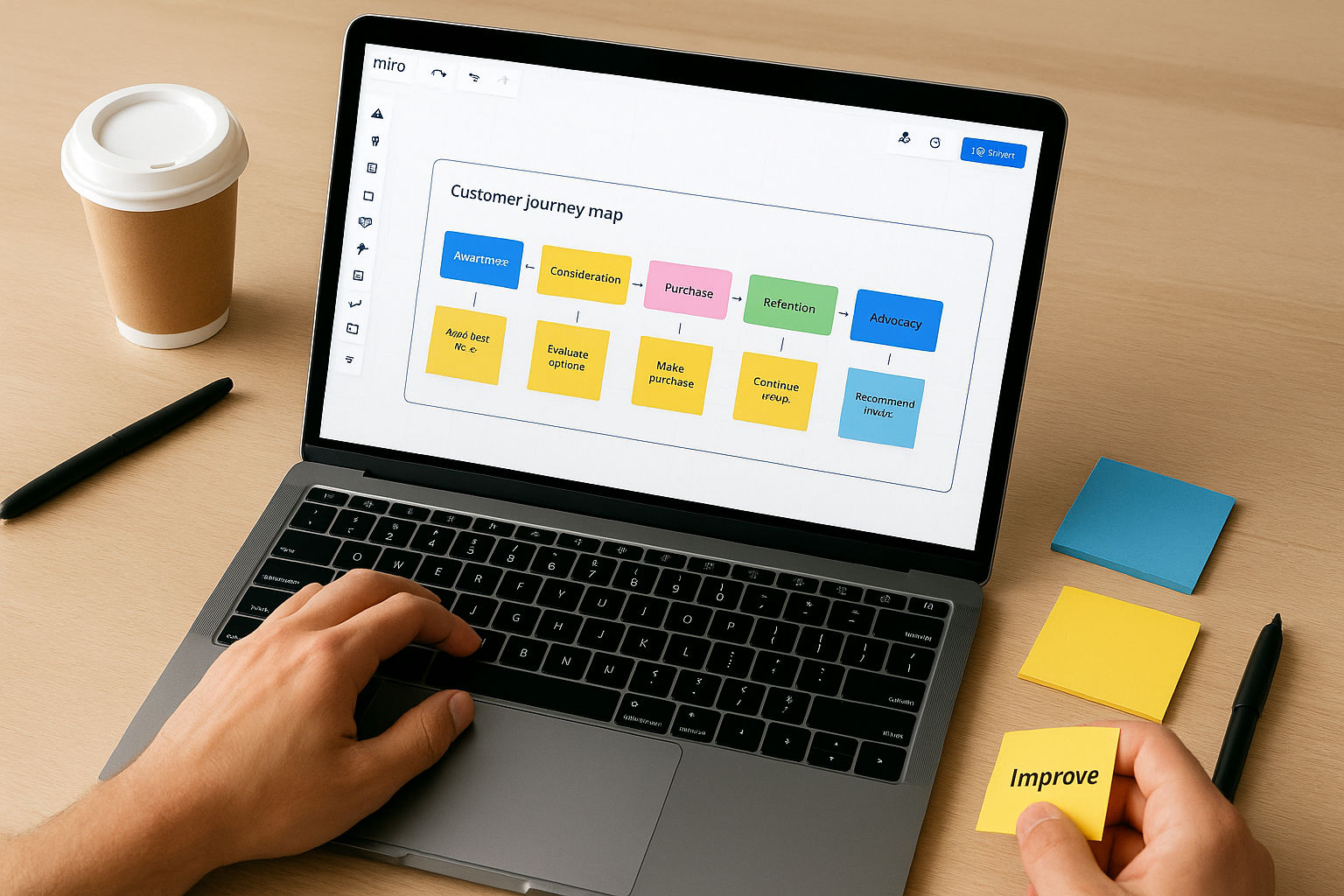
Miro operates as an online whiteboard platform where you can visually map out customer touchpoints across an infinite digital canvas. You get access to templates specifically designed for journey mapping alongside tools that let you drag, drop, and connect different stages of your customer’s experience. Teams use it to collaborate in real time, whether they’re working from the same office or scattered across different time zones.
What this tool does
This platform gives you pre-built templates for journey maps that you can customize to match your business needs. You add sticky notes, shapes, and connectors to build out each stage of your customer’s path. The infinite canvas means you never run out of space when mapping complex journeys with multiple touchpoints. Your team members can jump in simultaneously, leave comments, and edit elements together without waiting for email threads or version conflicts.
Journey mapping strengths
Miro excels at visual brainstorming where you need everyone’s input displayed clearly on screen. The tool handles complex, multi-layered journeys better than simple flowchart makers because you can zoom in and out, create separate frames for different personas, and link related elements across your board. You’ll find it particularly useful when you need to iterate quickly during workshops or planning sessions.
Miro’s strength lies in turning messy ideas into organized visual stories that your whole team can understand and improve together.
Who should use this tool
You’ll benefit most from Miro if you work with remote teams or need frequent collaboration on your customer journey mapping tools. Marketing teams, UX designers, and product managers who run workshops or brainstorming sessions will find the real-time features valuable. The learning curve exists but won’t block you if you’re comfortable with basic digital tools.
Free options and pricing
Miro offers a free plan that includes limited boards and basic features for up to three editable boards. Paid plans start at $10 per user monthly for the Starter tier, which removes most restrictions. You can test all features during a trial period before committing to a subscription.
Where this tool may fall short
The sheer number of features can overwhelm beginners who just want a simple journey map without learning a complete whiteboard system. You’ll also hit limitations on the free plan that force upgrades if you need more than a few boards or advanced security features. Some advanced customization options only unlock at higher pricing tiers, which can frustrate budget-conscious users.
2. UXPressia
UXPressia functions as a specialized platform built specifically for creating customer experience maps rather than serving as a general-purpose whiteboard. You get access to templates designed around personas, journey maps, and impact maps that integrate together within one workspace. The platform focuses on helping CX teams and product managers document how customers move through experiences while maintaining consistent branding and structure across all mapping projects.
What this tool does
This software provides a lane-based interface where you drag and drop cards to build out each stage of your customer’s journey. You can create multiple personas and link them directly to specific journey maps, showing how different customer types experience your product or service. The platform includes a repository where you store assets like images, data points, and documentation that you’ll reuse across different maps. Templates cover various journey types including service blueprints, experience maps, and stakeholder maps.
Journey mapping strengths
UXPressia excels at maintaining consistency across multiple customer journey mapping tools projects because you can standardize elements like stages, touchpoints, and emotional metrics. The platform lets you export professional-looking maps with your company’s branding already applied. You’ll appreciate how it connects personas to journeys to show how different customer segments experience the same touchpoints differently.
UXPressia transforms scattered customer insights into structured, repeatable frameworks that teams can build on over time.
Who should use this tool
You’ll find this tool most valuable if you’re a CX professional or product manager who creates journey maps regularly as part of your workflow. Teams that need to present polished maps to stakeholders or maintain a library of customer experience documentation will benefit from the organizational features. The tool works best when you already understand journey mapping concepts and need a dedicated space to execute them properly.
Free options and pricing
UXPressia offers a free plan that lets you create one project with basic features to test the platform. Paid subscriptions start at $16 per user monthly, which unlocks unlimited projects, collaboration features, and export options. You can access all features during a trial period before deciding on a paid plan.
Where this tool may fall short
The platform assumes you already know journey mapping methodology, which means beginners might struggle without external training or guidance. You’ll face steeper costs compared to general whiteboard tools if you only need occasional mapping rather than dedicated CX workflows. Some users find the interface less intuitive than visual collaboration platforms designed for broader use cases.
3. Smaply
Smaply operates as a dedicated journey mapping platform that focuses exclusively on creating customer experience visualizations rather than trying to be everything to everyone. You build journey maps, personas, and stakeholder maps within a structured workspace designed specifically for CX workflows. The platform stores your mapping assets in a centralized repository where you can reuse elements across different projects while maintaining consistent formatting and branding.
What this tool does
This software uses a lane-based card system where you drag elements into position to construct each stage of your customer’s experience. You can create detailed personas and link them to specific journey maps, showing how different customer types interact with your business at various touchpoints. The platform includes portfolio matrices that help you prioritize opportunities by plotting them against impact and feasibility metrics. Templates cover journey maps, service blueprints, and stakeholder maps right out of the box.
Journey mapping strengths
Smaply excels at supporting multiple personas across the same journey, which lets you compare how different customer segments experience identical touchpoints. The tool handles emotional journey tracking with visual curves that show satisfaction levels throughout each stage. You’ll find the repository feature valuable when you need to maintain consistency across dozens of maps or share standardized elements with team members.
Smaply transforms complex customer data into organized visual stories that reveal patterns across different personas and touchpoints.
Who should use this tool
You’ll benefit most from Smaply if you’re a CX manager or UX researcher who creates customer journey mapping tools regularly as part of your core responsibilities. Teams managing multiple customer segments or maintaining large libraries of journey documentation will appreciate the organizational structure. The platform works best when you already understand journey mapping fundamentals and need a dedicated workspace to execute them efficiently.
Free options and pricing
Smaply provides a free plan that lets you create up to three journey maps with basic features. Paid subscriptions start at $25 per user monthly, which unlocks unlimited maps, collaboration features, and advanced export options. You get access to all features during a trial period before committing to paid plans.
Where this tool may fall short
The platform assumes prior knowledge of journey mapping concepts, which creates barriers for beginners who need guided workflows or tutorials. You’ll pay more than general whiteboard tools if you only map journeys occasionally rather than maintaining ongoing CX programs. Some users find the interface less flexible than visual collaboration platforms when they need to deviate from standard journey map structures.
4. TheyDo
TheyDo operates as a comprehensive journey management platform that goes beyond simple visualization to help you connect customer insights directly to business initiatives. You get a centralized workspace where customer journeys, opportunity mapping, and strategic planning converge into one system. The platform uses AI to analyze your maps and suggest improvements while integrating with project management tools to ensure your journey insights translate into actual work.
What this tool does
This platform lets you build journey maps while simultaneously linking them to opportunities, initiatives, and backlogs in your development workflow. You can create multiple journey hierarchies that show how different customer segments move through various experience layers. The tool connects with Jira, Miro, and DevOps platforms to bridge the gap between customer research and execution. AI features scan your maps to identify gaps, suggest missing touchpoints, and highlight areas where customer needs aren’t being met.
Journey mapping strengths
TheyDo excels at scaling journey management across entire organizations rather than treating maps as isolated documents. The platform prioritizes opportunities based on frameworks you define, helping you decide which customer pain points deserve attention first. You’ll benefit from how it transforms customer journey mapping tools from static deliverables into living systems that drive product roadmaps and sprint planning.
TheyDo bridges the gap between understanding customer problems and actually fixing them through direct integration with your development workflow.
Who should use this tool
You’ll find this platform most valuable if you’re part of a large organization that needs enterprise-grade journey management rather than occasional mapping exercises. Product teams, CX departments, and strategic planners who manage multiple customer segments and complex touchpoints will appreciate the organizational structure. The tool works best when you’re already investing heavily in customer experience initiatives and need a system to coordinate efforts across departments.
Free options and pricing
TheyDo provides a free trial with limited journeys and editor seats to test the platform. Pricing starts at approximately $35,000 annually for enterprise plans, which reflects the platform’s focus on large organizations. You won’t find monthly plans at consumer-friendly price points because the tool targets enterprise buyers with substantial CX budgets.
Where this tool may fall short
The platform costs significantly more than alternatives, which puts it out of reach for small businesses or solo practitioners who need basic mapping capabilities. You’ll face complexity beyond what casual users need if you just want to create simple journey visualizations without connecting them to enterprise workflows. Teams focused on pixel-perfect design work might miss features found in dedicated prototyping tools.
5. Lucidchart
Lucidchart operates as a web-based diagramming platform that handles customer journey mapping alongside flowcharts, wireframes, and organizational charts. You access everything through your browser without downloading software, which means you can build journey maps from any device with internet access. The platform stores your work in the cloud and syncs automatically across your team members who need to view or edit your maps.
What this tool does
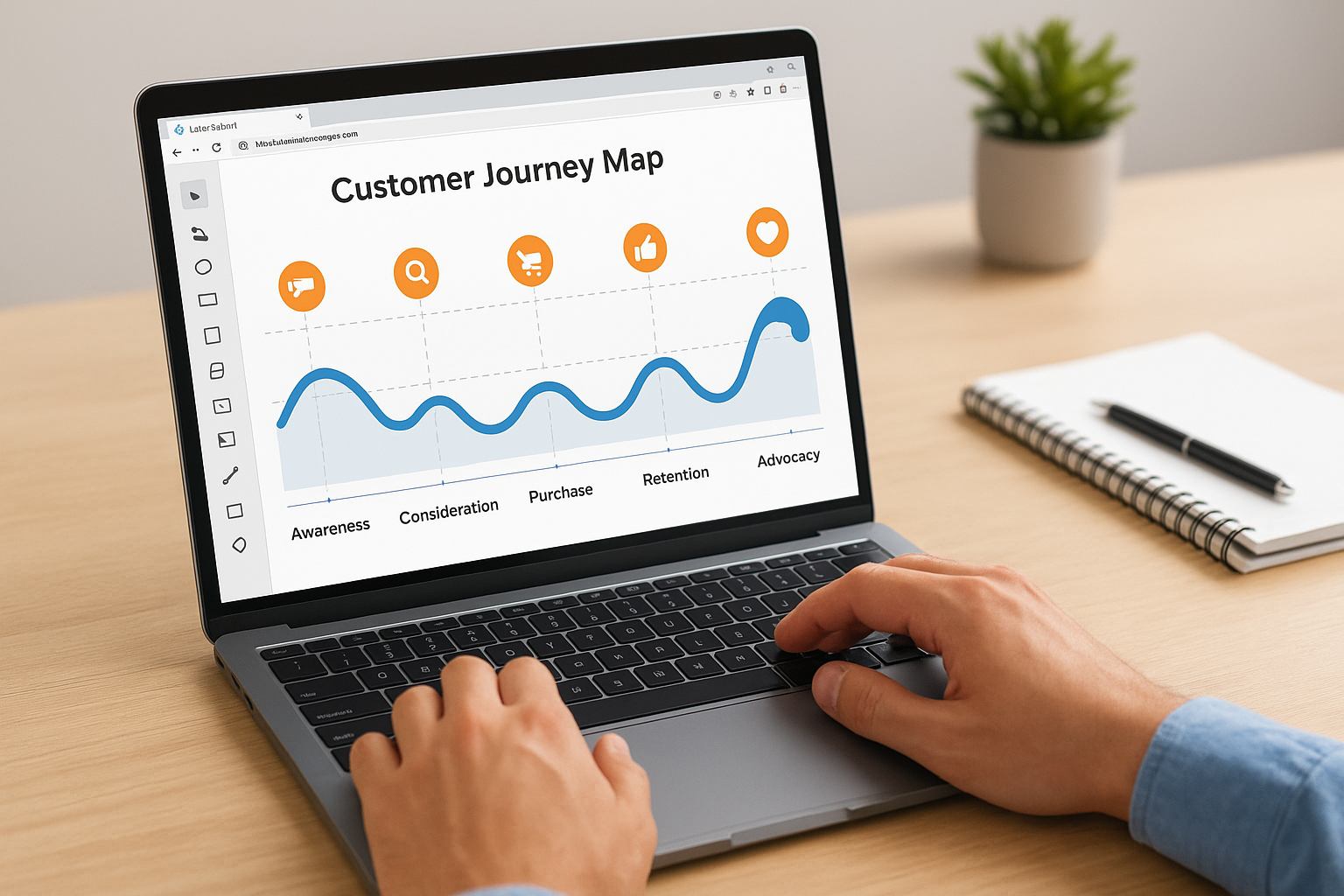
This software provides a drag-and-drop interface where you select shapes, connectors, and text boxes to construct your customer’s path through touchpoints. You get access to templates specifically designed for journey mapping that include pre-formatted stages, emotional curves, and touchpoint indicators. The platform integrates with Microsoft Office, Google Workspace, and Atlassian products, letting you embed your maps directly into documents, presentations, or project management boards. Conditional formatting automatically changes colors based on rules you set for different journey stages or customer segments.
Journey mapping strengths
Lucidchart excels at real-time collaboration where multiple team members work on the same map simultaneously without version conflicts. The tool handles data linking that connects external spreadsheets or databases to your journey map elements, updating visualizations automatically when source data changes. You’ll appreciate how it exports maps to multiple formats including PDF, PNG, and SVG for presentations or documentation.
Lucidchart transforms static journey maps into dynamic diagrams that update themselves as your customer data evolves.
Who should use this tool
You’ll benefit most from Lucidchart if you work across multiple platforms and need seamless integration with existing productivity tools. Teams already using Google Workspace or Microsoft 365 will find the embedded diagram features valuable for including customer journey mapping tools in broader documentation. The interface works well for users comfortable with basic diagramming concepts.
Free options and pricing
Lucidchart offers a free plan that includes three editable documents and basic templates. Paid subscriptions start at $9 per user monthly when billed annually, which unlocks unlimited documents and advanced features. You can test premium features during a trial period before committing to paid plans.
Where this tool may fall short
The platform provides general diagramming features rather than specialized customer journey mapping tools, which means you’ll build structure manually instead of using dedicated CX workflows. You’ll face learning curves around advanced features if you need complex data linking or automation beyond basic mapping. Some users find the interface less intuitive than purpose-built journey mapping platforms when creating emotional curves or detailed persona connections.
6. FigJam
FigJam serves as Figma’s collaborative whiteboard designed for visual brainstorming and ideation rather than detailed interface design. You access an infinite canvas where you can sketch ideas, organize sticky notes, and map out customer touchpoints using flexible drawing tools. The platform focuses on real-time collaboration where team members work together simultaneously through features like live cursors, audio chat, and instant reactions.
What this tool does
This whiteboard provides over 300 templates covering journey maps, brainstorming frameworks, and project planning layouts. You drag elements onto your canvas, connect them with lines, and add sticky notes or drawings to build out each stage of your customer’s experience. The tool includes audio chat so your team can discuss changes while working, eliminating the need to switch between video calls and your mapping workspace. External collaborators join your boards without requiring paid seats, which helps when you need stakeholder input during mapping sessions.
Journey mapping strengths
FigJam excels at rapid ideation where you need to quickly capture ideas from multiple team members without rigid structure. The tool handles early-stage mapping better than polished deliverables because you can sketch, vote on ideas using emoji reactions, and reorganize content fluidly. You’ll appreciate how it connects directly with Figma for teams that want to move from rough journey maps to detailed interface prototypes.
FigJam turns messy brainstorming sessions into organized visual frameworks that teams can refine together in real time.
Who should use this tool
You’ll benefit most from FigJam if you’re a designer or product team already using Figma who needs quick collaborative mapping during planning phases. Teams running remote workshops or sprint planning sessions will find the audio and reaction features valuable. The interface works best for users comfortable with freeform creativity rather than structured customer journey mapping tools.
Free options and pricing
FigJam offers a free plan that includes unlimited files with basic features and up to three editable boards. Paid plans start at $15 per professional user monthly, which unlocks unlimited boards, advanced plugins, and additional storage. You can test premium features during a trial period before upgrading.
Where this tool may fall short
The platform prioritizes flexibility over structure, which means you’ll build journey map frameworks manually instead of using pre-formatted lanes or stages. You’ll face limitations on advanced features like version history and team libraries unless you upgrade to higher-tier plans. Teams needing dedicated customer experience workflows might find the general-purpose whiteboard approach less efficient than specialized journey mapping platforms.
7. Canva Whiteboard
Canva Whiteboard operates as a visual collaboration space built into the Canva design platform for brainstorming and mapping projects. You access templates designed for journey mapping alongside familiar Canva design tools that let you add shapes, images, and text to your customer experience visualizations. The whiteboard connects directly with Canva’s broader design ecosystem, which means you can pull in branded elements or convert your maps into polished presentations without switching platforms.
What this tool does
This whiteboard provides pre-built templates specifically for customer journey maps that you customize using drag-and-drop editing. You add sticky notes, connectors, and visual elements to construct each stage of your customer’s path through touchpoints. The platform supports real-time collaboration where team members can leave comments, edit simultaneously, and organize ideas on an infinite canvas that expands as your map grows more detailed.
Journey mapping strengths
Canva Whiteboard excels at combining design quality with mapping functionality because you tap into Canva’s extensive library of graphics, icons, and fonts. The tool handles quick transitions from rough mapping sessions to presentation-ready deliverables better than most whiteboard alternatives. You’ll appreciate how your existing Canva brand kit applies automatically to journey maps.
Canva Whiteboard transforms customer journey mapping tools into visually appealing documents that non-designers can create confidently.
Who should use this tool
You’ll benefit most from this platform if you’re already using Canva for other design work and want consistent branding across your customer journey mapping tools. Small teams or solopreneurs who need professional-looking maps without learning complex software will find the familiar interface valuable.
Free options and pricing
Canva offers a free plan that includes basic whiteboard features and limited templates. Paid subscriptions start at $15 per user monthly for Canva Pro, which unlocks unlimited storage and premium templates.
Where this tool may fall short
The platform lacks specialized CX features found in dedicated journey mapping software like advanced persona linking or opportunity scoring. You’ll find fewer collaboration tools compared to platforms built specifically for team workshops or complex mapping projects.
8. Fullstory
Fullstory operates as a behavioral data platform that captures every user interaction on your website or app to help you understand what customers actually do rather than what you assume they do. You get access to session replays showing real user behavior alongside analytics tools that identify where people struggle or abandon their journey. The platform automatically tracks clicks, scrolls, form fills, and navigation patterns without requiring manual event tagging.
What this tool does
This software provides automatic data capture that records every customer interaction across your digital properties. You watch high-fidelity session replays showing exactly how individual users navigated through your site, where they clicked, and what frustrated them. The platform builds journey visualizations called pathing tools that show common routes users take, where they drop off, and which paths lead to conversions.
Journey mapping strengths
Fullstory excels at revealing actual user behavior instead of relying on hypothetical customer journey mapping tools you sketch during planning sessions. The platform identifies friction points through automated detection of rage clicks, error messages, and abandoned forms. You’ll discover unexpected paths customers take that your designed journey never anticipated.
Fullstory transforms assumptions about customer behavior into concrete evidence by showing you what really happens during every session.
Who should use this tool
You’ll benefit most from Fullstory if you’re a product team or UX researcher who needs data-driven insights about how customers actually navigate your digital experience. Teams managing conversion optimization or troubleshooting user experience problems will find the session replay features valuable.
Free options and pricing
Fullstory offers a free plan with limited monthly sessions and basic analytics features. Paid plans use custom pricing based on your session volume, data retention needs, and feature requirements.
Where this tool may fall short
The platform requires a learning curve to utilize its comprehensive feature set effectively. You’ll face variable costs that increase with traffic volume, which can become expensive for high-traffic sites.
9. Mouseflow
Mouseflow functions as a behavior analytics platform that tracks how visitors navigate through your website to reveal where they lose interest or abandon their journey. You gain access to session recordings, heatmaps, and automatic funnel creation that shows drop-off points across each stage of your customer’s path. The platform visualizes up to 10 steps in common user journeys, letting you compare actual behavior against your intended flow.

What this tool does
This software provides automatic journey visualization that tracks where users enter your site, which pages they visit, and where they exit without manual configuration. You watch session replays showing individual visitor behavior alongside heatmaps that reveal where people click, scroll, and hover. The platform creates funnel reports automatically, highlighting which steps in your conversion process lose the most customers.
Journey mapping strengths
Mouseflow excels at identifying friction points through drop-off analysis that shows exactly where customers abandon their journey. The tool handles alternative path detection that reveals unexpected routes visitors take when they deviate from your designed experience. You’ll benefit from how it groups similar pages together for deeper behavioral insights across your customer journey mapping tools.
Mouseflow transforms website analytics into visual journey maps that expose exactly where your customers struggle and why they leave.
Who should use this tool
You’ll find this platform most valuable if you’re an e-commerce manager or conversion optimizer who needs data-driven insights about where customers drop off during checkout or browsing. Marketing teams focused on improving website performance and reducing bounce rates will appreciate the visual analytics.
Free options and pricing
Mouseflow offers a free plan with basic features and limited recordings. Paid subscriptions start at $25 monthly, which unlocks more recordings and advanced journey mapping features.
Where this tool may fall short
The platform lacks built-in A/B testing features that some competitors include. You’ll find full journey mapping capabilities limited to enterprise plans rather than basic tiers.
10. Contentsquare
Contentsquare operates as a digital experience platform that captures customer behavior data across your website and mobile apps to reveal how users actually interact with your digital properties. You gain access to journey visualization, heatmaps, and session analysis within a centralized analytics hub designed for enterprise-scale customer experience teams. The platform focuses on collecting behavioral signals automatically and transforming them into actionable insights that guide optimization decisions.
What this tool does
This software provides three core feature areas that work together to map customer journeys. You get analytics tools including heatmaps and journey visualizations that show where users click and how they navigate. The platform monitors technical performance through error detection and page speed analysis that identifies friction caused by technical issues. Product analytics features track retention metrics and segment customers based on behavior patterns across different touchpoints.
Journey mapping strengths
Contentsquare excels at centralizing customer data from multiple sources into unified journey visualizations that show complete user paths. The tool handles large-scale data collection across websites and mobile apps without requiring manual event tracking. You’ll benefit from how it connects technical performance issues directly to customer journey drop-offs.
Contentsquare transforms scattered behavioral signals into complete journey maps that reveal both what customers do and why technical issues interrupt their experience.
Who should use this tool
You’ll find this platform most valuable if you’re part of an enterprise organization that manages high-traffic digital properties requiring sophisticated analytics beyond basic journey visualization. Large e-commerce companies, financial services firms, and digital publishers with complex customer journeys will appreciate the comprehensive data capture.
Free options and pricing
Contentsquare does not publish pricing on their website. You’ll need to contact their sales team for custom quotes based on your traffic volume and feature requirements.
Where this tool may fall short
The platform targets enterprise buyers with substantial budgets rather than small businesses or solo practitioners. You’ll face complexity that requires dedicated resources to implement and maintain effectively.
11. Heap
Heap functions as a product analytics platform that automatically captures every user interaction without requiring manual event tracking or code changes. You gain access to funnel analysis, retention reporting, and user segmentation tools that help you understand how customers move through your digital product. The platform focuses on collecting behavioral data retroactively, which means you can analyze historical patterns even for events you didn’t think to track when they originally occurred.
What this tool does
This software provides automatic event tracking that records clicks, page views, form submissions, and other interactions across your website or app. You build funnels and segments using a visual interface that shows drop-off points and conversion paths without writing SQL queries. The platform lets you analyze user behavior retroactively by defining events after data collection has already started, which eliminates the need to predict every metric you’ll want to track.
Journey mapping strengths
Heap excels at revealing conversion patterns through detailed funnel analysis that shows where users abandon their journey. The tool handles advanced segmentation that lets you compare how different customer groups navigate through identical touchpoints. You’ll benefit from how it tracks behavior automatically instead of requiring developers to instrument every click manually.
Heap transforms retroactive analysis into a superpower by letting you explore customer behavior patterns that occurred before you knew to look for them.
Who should use this tool
You’ll find this platform most valuable if you’re a product manager or growth team member who needs data-driven insights about user behavior across complex digital products. Teams optimizing conversion funnels or analyzing retention patterns will appreciate the automatic tracking capabilities.
Free options and pricing
Heap offers a free plan with limited data retention and basic features. Paid plans use custom pricing based on your usage volume, data needs, and selected add-ons like session replay.
Where this tool may fall short
The platform requires a learning curve for beginners who find the interface complex. You’ll face challenges setting up custom events that go beyond automatic tracking capabilities.
12. SurveySparrow
SurveySparrow operates as a feedback collection platform that combines customer journey mapping with survey distribution across multiple channels. You build journey maps that show different customer stages while embedding feedback surveys at critical touchpoints to gather real responses. The platform lets you collect data through email, SMS, website embeds, and QR codes, which helps you understand customer sentiment at each stage of their experience.
What this tool does
This software provides journey chart interfaces where you visualize customer paths and attach surveys to specific touchpoints. You can color-code journey stages based on NPS scores or other feedback metrics that automatically update as responses come in. The platform includes a ticketing system for managing customer issues and SpotChecks for collecting targeted micro-feedback at precise moments.
Journey mapping strengths
SurveySparrow excels at connecting feedback directly to journey stages rather than treating surveys and maps as separate activities. You’ll benefit from how it shows sentiment trends across different customer segments through visual dashboards that update in real time.
Who should use this tool
You’ll find this platform most valuable if you’re a customer experience manager who needs survey-driven journey insights rather than pure analytics. Teams focused on gathering qualitative feedback alongside behavioral data will appreciate the integrated approach.
Free options and pricing
SurveySparrow offers a 14-day free trial to test features. Pricing details require contacting their sales team for custom quotes based on your needs.
Where this tool may fall short
The platform requires additional configuration for mobile or offline survey scenarios. You’ll face limited data export options that may frustrate teams needing flexible reporting formats.
13. Sogolytics
Sogolytics operates as a customer experience and survey platform that combines journey mapping with feedback collection to show how customer perceptions evolve across different stages. You capture responses through surveys while visualizing those insights on journey maps that reveal where satisfaction increases or drops. The platform focuses on connecting survey data directly to customer touchpoints rather than treating feedback and journey visualization as separate activities.

What this tool does
This software provides survey-based journey mapping where you build maps and attach feedback collection points at critical stages. You create customizable dashboards that display trend analysis showing how customer sentiment changes over time across different segments. The platform lets you distribute surveys through multiple channels and automatically connects responses to your journey visualizations.
Journey mapping strengths
Sogolytics excels at combining quantitative feedback with journey visualization rather than relying purely on behavioral analytics or manual mapping. You’ll benefit from how it tracks customer sentiment trends across touchpoints using real survey responses instead of assumptions.
Sogolytics transforms survey responses into journey insights that show exactly how customer satisfaction shifts at each stage of their experience.
Who should use this tool
You’ll find this platform most valuable if you’re a CX professional who prioritizes direct customer feedback over pure analytics when building customer journey mapping tools. Teams managing customer satisfaction programs will appreciate the integrated survey capabilities.
Free options and pricing
Sogolytics offers a free plan with basic features and a 10-day free trial. Paid subscriptions start at $25 monthly when billed annually.
Where this tool may fall short
The platform lacks visual whiteboard-style mapping found in dedicated journey tools. You’ll face complexity with advanced analytics that requires training to use effectively.
14. Totango
Totango operates as a customer success platform designed for digital product companies that need to track how customers adopt features and move through post-purchase experiences. You monitor usage patterns, engagement metrics, and health scores that indicate whether customers will renew or churn. The platform combines journey tracking with proactive alerting so you can intervene before customers abandon their subscription or contract.
What this tool does
This software provides usage tracking dashboards that show which features customers use and which they ignore across their lifecycle. You receive real-time alerts when specific events occur, such as sudden drops in engagement, changes in usage patterns, or signs of churn risk. The platform includes health score tracking that calculates customer wellness based on metrics you define, helping you prioritize which accounts need attention.
Journey mapping strengths
Totango excels at tracking digital adoption journeys where you need to understand how customers progress through onboarding, feature discovery, and regular usage patterns. The tool handles trend analysis that reveals how buying and engagement patterns evolve over time in response to product updates or new features.
Totango transforms product usage data into customer journey insights that help you prevent churn before it happens.
Who should use this tool
You’ll benefit most from this platform if you’re a customer success team managing SaaS products or subscription services where retention depends on ongoing engagement rather than one-time purchases. Teams needing to connect customer journey mapping tools with account health monitoring will find the integrated approach valuable.
Free options and pricing
Totango offers a 14-day free trial to test features. Paid plans start at $249 monthly for two users and 200 customer accounts.
Where this tool may fall short
The platform costs more than basic journey mapping alternatives. You’ll find logging touchpoint updates requires multiple clicks that slow down documentation workflows.
15. Canvanizer and PowerPoint
Canvanizer operates as a free canvas software while PowerPoint functions as Microsoft’s presentation tool, both offering basic frameworks you can adapt for journey mapping without specialized software costs. You access simple templates and drag-and-drop interfaces that let you construct customer paths using familiar tools you might already own. These platforms serve teams prioritizing accessibility and zero learning curves over advanced features found in dedicated customer journey mapping tools.
What this tool does
Canvanizer provides pre-built business canvas templates that you customize for journey mapping using sticky notes and text fields. PowerPoint gives you shapes, tables, and SmartArt that you arrange to visualize customer touchpoints and stages. Both tools export to PDF or image formats for sharing with stakeholders.
Journey mapping strengths
These platforms excel at removing barriers to entry because team members already understand how to use presentation software or simple web canvases. You’ll spend zero time on training or onboarding when everyone knows the interface.
Who should use this tool
You’ll benefit from these options if you’re a small team or individual who needs quick, simple maps without monthly subscriptions or complex features.
Free options and pricing
Canvanizer offers a completely free version with basic features. PowerPoint comes bundled with Microsoft 365 subscriptions starting around $6 monthly per user.
Where this tool may fall short
These platforms lack specialized CX features like persona linking or automated data connections. You’ll build everything manually without templates designed specifically for journey mapping workflows.
Canvanizer and PowerPoint trade advanced capabilities for universal accessibility that anyone can use immediately.
Next steps
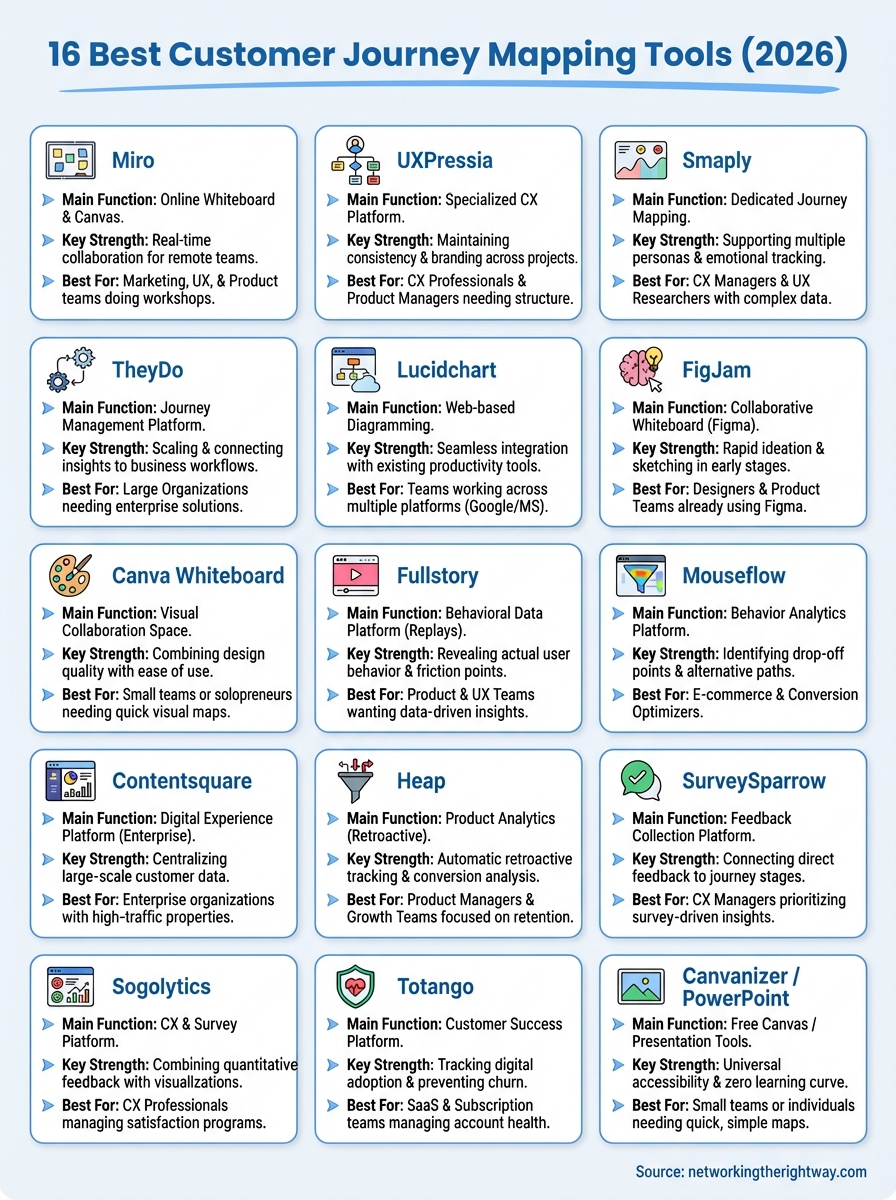
You now have a clear view of 16 different customer journey mapping tools that range from free whiteboard options to enterprise analytics platforms. The right choice depends on whether you need simple visualization, data-driven insights, or survey integration. Start by testing free versions or trials to see which interface matches your workflow before committing to paid subscriptions.
Most businesses benefit from combining two types of tools: one for designing ideal journeys and another for tracking actual user behavior. Your maps only create value when they inform decisions that improve customer experience and reduce friction at key touchpoints.
If you’re building an online business and need a straightforward approach to understanding your customers, check out this simple way to build a business online. The right tools combined with focused action will help you create experiences that keep customers returning instead of abandoning their journey halfway through.