You want to stay in touch with your customers and prospects without spending hours manually sending the same emails over and over each week. You need a CRM with email automation that handles follow-ups, nurtures leads, and keeps track of every conversation while you focus on other parts of growing your business. But most platforms feel overwhelming with complicated dashboards, confusing menus, and dozens of features you’ll never actually use or fully understand.
This guide breaks down 13 CRM platforms that combine contact management with email automation designed specifically for small businesses like yours. Each option includes straightforward details on pricing, key features, and ease of use written for business owners without technical backgrounds or IT departments to lean on. You’ll discover which tools work best for beginners just getting started, which platforms offer the most value when budgets are tight, and which ones to skip if you’ve struggled with technology in the past. No jargon, no confusing tech talk—just honest comparisons to help you make the right choice.
1. Brevo
Brevo offers you a complete platform that handles both customer relationships and automated email campaigns without requiring you to manage multiple separate tools. The system tracks every contact interaction while sending targeted messages based on behavior triggers you set up once and let run automatically. This CRM with email automation gives you everything from landing pages to SMS marketing in a single dashboard designed specifically for small business owners.
What it does
Brevo combines contact management with multi-channel marketing tools that let you send emails, SMS messages, and even manage chat conversations all from one place. You can build complete customer profiles that track website visits, email opens, and purchase history to understand exactly how each person interacts with your business. The platform automatically organizes your contacts and helps you create segments so you send the right message to the right person every time.
Email automation features
You get access to 40+ pre-built email templates and automation blueprints that let you set up welcome sequences, abandoned cart reminders, and follow-up campaigns in minutes instead of hours. The platform includes send-time optimization that uses algorithms to determine when each contact is most likely to open your messages. Brevo automatically resends campaigns to contacts who didn’t open them the first time, giving you a second chance at engagement without any extra work on your part.
CRM and sales tools
The built-in CRM tracks your sales pipeline with visual deal stages that show exactly where each potential customer stands in your process. You can create customizable web forms and landing pages that capture leads and automatically add them to your contact database with all their information organized and ready to use. Pipeline management tools help you identify which deals need attention and which ones are moving forward on schedule.
Ease of use for non tech users
Brevo provides a clean interface that doesn’t overwhelm you with technical options or complicated menus that require training to understand. Setting up your first automation takes just a few clicks using drag-and-drop builders that work like moving blocks around on a screen rather than writing code or following complex instructions. The learning curve stays shallow because common tasks like creating campaigns or adding contacts follow predictable patterns you’ll recognize after using them once or twice.
Pricing for small businesses
The free plan includes 300 emails per day and unlimited contact storage, which works perfectly when you’re just starting out or have a small customer base. Paid plans start at $9 monthly for 5,000 emails with advanced statistics and A/B testing included, and you can remove Brevo branding for an additional $10 each month. Costs scale based on your email volume rather than contact count, so you only pay more when you’re actually sending more messages.
"The free plan gives you enough room to test the system with real campaigns before spending a single dollar."
When this tool is a good fit
Choose Brevo when you need affordable email automation without sacrificing essential CRM features or when your contact list keeps growing but your budget stays tight. The platform works best for businesses just starting with automation who want professional tools without complicated setup processes or expensive monthly bills. You’ll find it particularly useful if you plan to use SMS marketing alongside email because both channels are built into the same system at reasonable prices.
2. HubSpot CRM
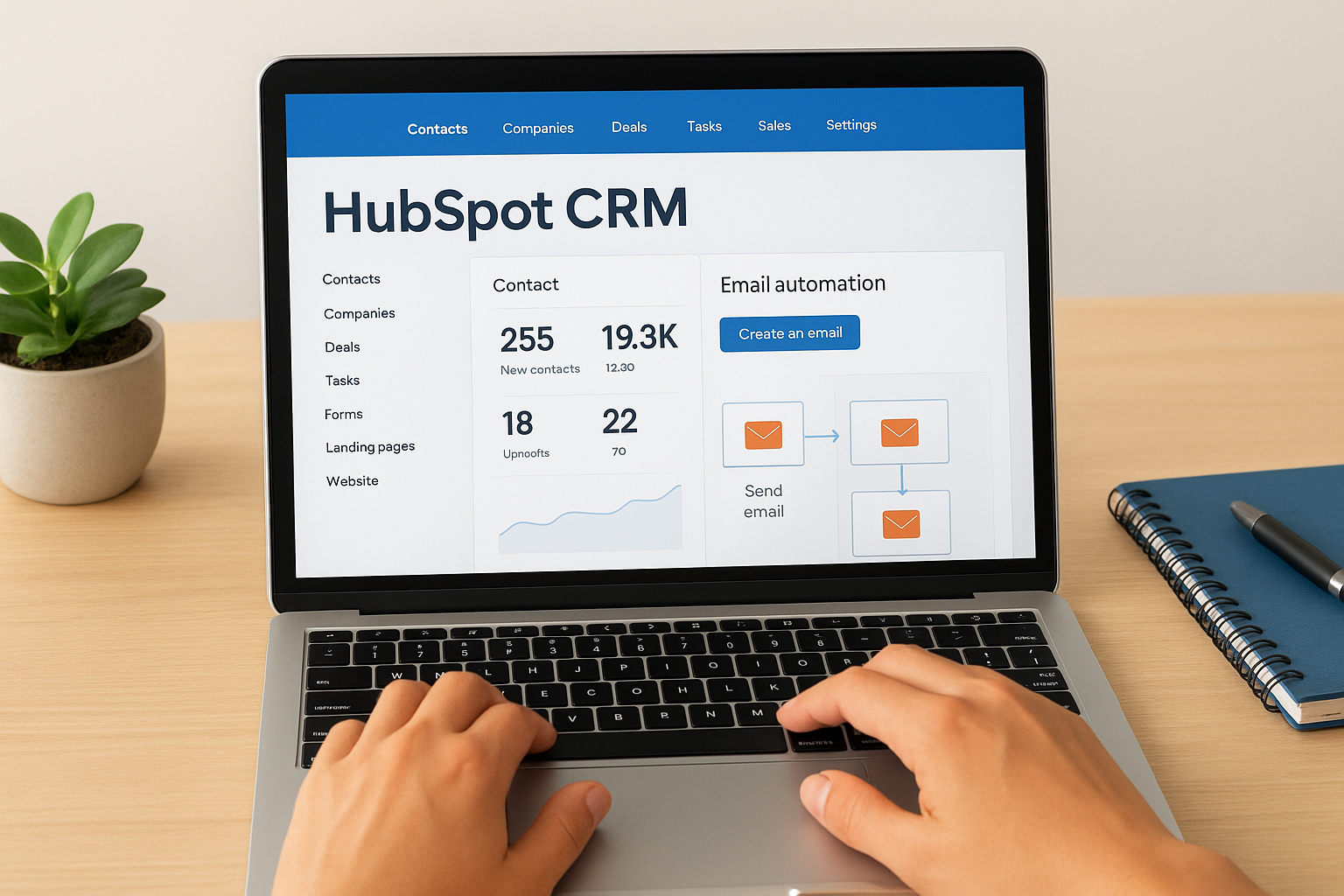
HubSpot CRM delivers a powerful platform that combines contact management, email marketing, and sales automation into one system designed to grow with your business. The free version includes features that most small businesses need to get started, while paid plans unlock advanced capabilities as your team expands. This CRM with email automation stands out because it connects every part of your customer journey from first contact through final sale without requiring you to piece together multiple separate tools.
What it does
HubSpot tracks every interaction your contacts have with your business, from website visits to email clicks, and stores all that information in organized contact records you can access instantly. You can build complete sales funnels using their integrated form builder, landing page creator, and automated email sequences that work together seamlessly. The platform handles everything from capturing new leads to closing deals, all while keeping your team synchronized through shared contact timelines and activity feeds.
Email automation features
The system lets you create automated email campaigns triggered by specific actions like form submissions, page visits, or changes in contact properties that you define based on your business needs. You get access to customizable email templates and a drag-and-drop editor that makes building professional messages straightforward even if you’ve never done it before. HubSpot’s automation builder uses visual workflows where you can see exactly how each email connects to the next step in your sequence, making it easier to understand what happens when someone opens or clicks your messages.
CRM and sales tools
HubSpot provides visual deal pipelines that show you exactly where each potential customer stands in your sales process, with drag-and-drop functionality that lets you move deals forward as they progress. The platform includes meeting scheduling tools, email tracking that notifies you when contacts open your messages, and conversation tools that bring all customer communications into one inbox. You can create custom reports that track your team’s performance and identify which marketing activities actually generate sales results.
"The free plan gives you tools that other platforms charge hundreds of dollars monthly to access."
Ease of use for non tech users
HubSpot organizes its interface around clear categories like Contacts, Deals, and Marketing, making it simple to find what you need without hunting through complicated menus. Setup wizards guide you through important tasks like connecting your email account or creating your first automation, explaining each step in plain language. The platform provides extensive help documentation with screenshots and videos that show you exactly how to complete common tasks, though the sheer number of features can feel overwhelming at first.
Pricing for small businesses
The free plan includes 1,000 contacts and 2,000 email sends per month along with basic automation, forms, and landing pages, giving you enough room to test the system thoroughly. Sales Hub Starter costs $20 monthly and adds features like smart send times and expanded automation capabilities, while the Professional plan starts at $100 monthly but requires a $1,500 onboarding fee. Costs increase significantly when you need more marketing contacts or want advanced features like sales analytics and custom reporting.
When this tool is a good fit
Choose HubSpot when you want a comprehensive free plan to start building your email automation and CRM without immediate costs, or when you plan to eventually scale into a full marketing and sales platform. The system works best for businesses comfortable with technology who can invest time learning the platform’s extensive features and capabilities. You’ll appreciate HubSpot most if you value having all your marketing and sales tools connected in one place, even if that means paying premium prices as your needs grow beyond what the free plan offers.
3. ActiveCampaign
ActiveCampaign provides you with sophisticated automation capabilities that go deeper than most platforms on this list, giving you precise control over every step of your customer journey. The system excels at building complex workflows that respond to exactly how each contact behaves, from opening specific emails to visiting certain pages on your website. This CRM with email automation targets businesses ready to move beyond basic sequences into advanced marketing strategies that adapt to individual customer actions.
What it does
ActiveCampaign tracks every action your contacts take and uses that information to automatically trigger the right message at the perfect moment. You can segment your audience based on hundreds of different criteria including purchase history, email engagement, website activity, and custom data you collect. The platform connects your email marketing directly to your sales pipeline so your team sees exactly which automated campaigns generate actual revenue.
Email automation features
The automation builder lets you create sophisticated email sequences with conditional logic that branches based on whether someone opens an email, clicks a link, or completes a specific goal you define. You get access to predictive sending that analyzes when each contact typically engages with your messages and delivers emails at those optimal times automatically. ActiveCampaign includes split testing for entire automation workflows, not just individual emails, so you can identify which complete sequences convert best.
CRM and sales tools
The integrated CRM assigns win probability scores to your deals based on historical data and current engagement patterns, helping you focus effort on opportunities most likely to close. You can create unlimited pipelines customized for different products or sales processes, with automation that updates deal stages based on contact behavior. Task management features ensure your team follows up promptly with automatic reminders triggered by specific contact actions or deal stage changes.
Ease of use for non tech users
ActiveCampaign requires a steeper learning curve than simpler platforms because it offers so many options and settings for each feature you use. The visual automation builder helps you understand how workflows connect, but building effective sequences demands careful planning and understanding of automation logic. You’ll need to invest time learning the system or risk creating confusing workflows that don’t achieve your intended results.
"The platform rewards patience with capabilities that let you automate customer experiences most other tools can’t handle."
Pricing for small businesses
Plans start at $50 monthly for the Pipelines plan that includes basic CRM and automation for one user, with costs increasing as you add team members or contacts. The Sales Engagement plan begins at $150 monthly for four users and unlocks advanced features like deal forecasting and lead scoring. Pricing becomes expensive quickly compared to simpler alternatives, especially when your contact list grows beyond a few thousand subscribers.
When this tool is a good fit
Choose ActiveCampaign when you need advanced automation capabilities and have budget flexibility to pay premium prices for sophisticated features. The platform works best for businesses with someone dedicated to managing marketing automation who can invest time mastering the system’s extensive options. You’ll appreciate ActiveCampaign most if basic email sequences feel limiting and you want the power to build complex customer journeys that adapt automatically to individual behavior patterns.
4. EngageBay
EngageBay brings together contact management, marketing automation, and customer support tools in a single platform that eliminates the need to juggle multiple separate systems. The all-in-one approach keeps your costs down while giving you access to features that usually require expensive enterprise software. This CRM with email automation targets small businesses looking for professional capabilities without the complexity or price tags that come with larger platforms.
What it does
EngageBay organizes all your customer information in one place where you can track every interaction from initial contact through ongoing support conversations. You can monitor website visits, score leads automatically, and create detailed contact segments that let you send targeted messages to exactly the right people. The platform handles marketing campaigns, sales pipeline management, and customer service requests through a unified dashboard that shows you everything happening with your contacts.
Email automation features
The system provides visual workflow builders that let you create automated campaigns by dragging and dropping elements onto a canvas rather than writing complicated rules. You get access to predictive lead scoring that automatically adjusts based on how contacts engage with your emails and website, helping you identify which prospects deserve immediate attention. EngageBay includes automation blueprints for common scenarios like welcome sequences and abandoned cart recovery that you can customize and deploy in minutes.
CRM and sales tools
EngageBay’s pipeline view shows your deals organized by stage with customizable milestones that match how your business actually sells products or services. You can create web forms that automatically feed new contacts into your CRM with all their information properly tagged and ready for follow-up. The platform tracks calling minutes and includes tools for managing appointments, tasks, and team assignments all connected to your contact records.
Ease of use for non tech users
The clean interface design makes it simple to find what you need without wading through cluttered menus or confusing navigation systems. Setting up your first automation feels straightforward because the drag-and-drop builder shows you exactly how each step connects to the next. However, the sheer number of features available across marketing, sales, and support can feel overwhelming when you’re just starting out.
Pricing for small businesses
The free plan includes 500 contacts and 1,000 monthly emails along with basic automation workflows and lead scoring for up to 250 contacts. Paid plans start at $11.99 monthly for the Basic tier that increases your limits to 1,000 contacts and 3,000 emails with custom deal milestones. The Growth plan costs $64.99 monthly and unlocks marketing automation, timezone-based sending, and expanded email limits of 25,000 per month.
When this tool is a good fit
Choose EngageBay when you want an affordable all-in-one solution that combines marketing, sales, and support without paying for three separate tools. The platform works best for businesses that need professional automation features but can’t justify spending hundreds of dollars monthly on premium platforms. You’ll find it particularly valuable if you appreciate clean design and want detailed analytics showing exactly how your campaigns perform without requiring technical expertise to interpret the data.
5. Freshsales Suite
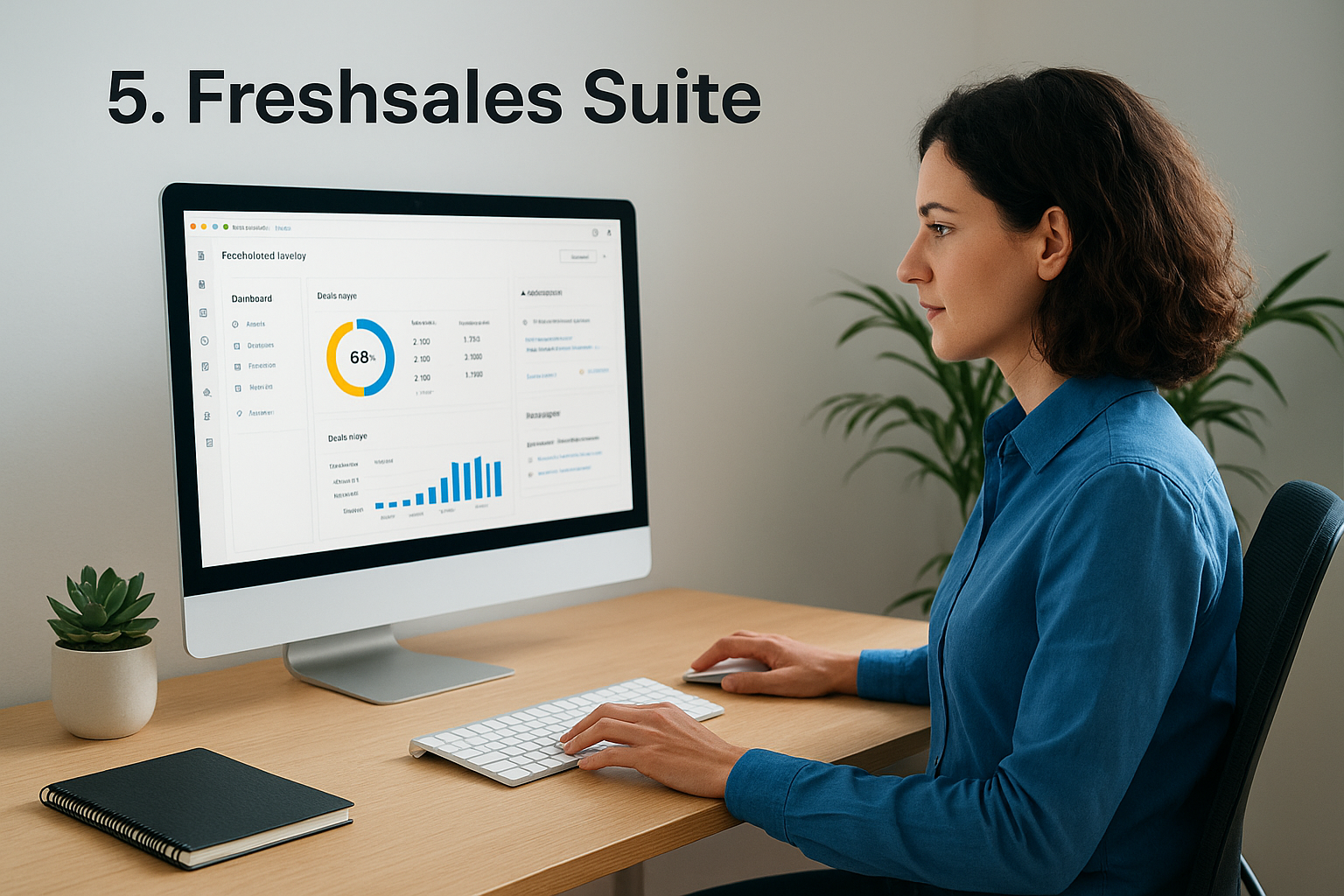
Freshsales Suite combines contact management with marketing automation and an AI assistant that helps you prioritize deals and predict which opportunities will close. The platform tracks every customer interaction while its built-in intelligence analyzes patterns to give you actionable insights about your sales pipeline. This CRM with email automation focuses on helping you work smarter by identifying which leads deserve your immediate attention and which deals might be slipping away.
What it does
Freshsales Suite manages your entire customer lifecycle from first contact through repeat purchases, storing all communication history and behavioral data in detailed contact profiles. You can monitor website activity, track email engagement, and see exactly how prospects interact with your business across multiple touchpoints. The platform connects marketing campaigns directly to sales outcomes so you understand which efforts actually generate revenue instead of just collecting vanity metrics.
Email automation features
The system provides customer journey builders that let you create automated campaigns triggered by specific contact actions or changes in their profile data. You get access to merge tag personalization that customizes each message with contact-specific information pulled from your CRM database. Campaign analytics track opens, clicks, and conversions with detailed reports showing which sequences perform best and where prospects drop off in your automation workflows.
CRM and sales tools
Freddy AI analyzes your pipeline and provides predictive deal scores that estimate the likelihood of closing each opportunity based on historical patterns and current engagement levels. The rotten deals feature flags opportunities that have been sitting idle too long, helping you identify which prospects to re-engage or remove from your active pipeline. Segmentation tools let you organize contacts using dozens of criteria including email activity, web page visits, and custom properties you define.
Ease of use for non tech users
Freshsales Suite offers a straightforward dashboard that presents your most important information without overwhelming you with unnecessary options or confusing menus. The email campaign builder feels somewhat rigid compared to other platforms, limiting your design flexibility when creating newsletters or broadcast messages. You’ll find the AI recommendations helpful for prioritizing your workday, though interpreting some of the advanced reports requires a basic understanding of sales metrics.
Pricing for small businesses
The Growth plan costs nothing for your first three users and then charges $11 monthly per additional team member, including email campaigns for up to 1,000 marketing contacts. Professional plans start at $47 per user monthly and add multiple sales pipelines and AI-powered deal insights that help predict outcomes. Enterprise pricing reaches $71 per user each month with custom modules and AI forecasting, though small businesses rarely need these advanced capabilities.
"The free tier for three users makes Freshsales Suite one of the most accessible AI-powered CRMs available."
When this tool is a good fit
Choose Freshsales Suite when you want AI assistance helping you decide which deals to prioritize without manually analyzing your pipeline every morning. The platform works best for businesses selling directly to other companies rather than consumers, especially if you value predictive insights over design flexibility. You’ll appreciate this tool most if your team struggles to identify which opportunities deserve attention or if you want technology handling the analysis so you can focus on building relationships.
6. Pipedrive
Pipedrive delivers a sales-focused CRM platform designed around visual pipeline management with an optional email marketing add-on called Campaigns that handles your automated messaging needs. The system prioritizes deal tracking and sales workflow over complex marketing features, making it straightforward for businesses that want reliable contact management paired with effective email automation. This CRM with email automation works best when your primary goal is moving prospects through a clear sales process rather than running sophisticated multi-channel marketing campaigns.
What it does
Pipedrive organizes your sales activities around a visual pipeline that shows exactly where each potential customer stands in your process, from initial contact through final purchase. You can track deal progress by dragging contacts between stages while the system automatically logs every interaction including emails, calls, and meetings. The Campaigns add-on connects directly to your contact database so you can send targeted emails to specific groups without exporting lists or managing separate tools.
Email automation features
The Campaigns module provides a drag-and-drop email editor with over 40 professionally designed templates you can customize to match your brand and message. You get segmentation tools that let you target contacts based on deal stage, activity history, or custom fields you’ve created in your CRM. Automation features include triggered campaigns that send automatically when deals move to specific pipeline stages, though the workflows stay linear without the branching logic found in more advanced platforms.
CRM and sales tools
Pipedrive’s visual pipeline interface makes it simple to see your entire sales funnel at a glance with color-coded deals showing which opportunities need attention. You can create multiple pipelines for different products or sales processes, set up activity reminders, and assign tasks to team members. The platform tracks communication history automatically and provides forecasting tools that help you predict revenue based on deals currently in your pipeline.
Ease of use for non tech users
The interface feels clean and intuitive with straightforward navigation that doesn’t require extensive training to understand or use effectively. Setting up your first pipeline takes minutes because Pipedrive walks you through the process with clear prompts and helpful examples. However, the Campaigns editor offers limited customization options compared to dedicated email platforms, which some users find restrictive when designing newsletters.
Pricing for small businesses
The Essential CRM plan costs $24 monthly per user and includes deal management, contact tracking, and pipeline visualization without email capabilities. Campaigns adds $16 monthly per company for 1,000 contacts with basic automation and template access. Combined costs reach $40 monthly for a single user with email automation, positioning Pipedrive in the mid-range pricing category for small business tools.
When this tool is a good fit
Choose Pipedrive when your business focuses primarily on sales pipeline management and needs straightforward email automation as a secondary feature rather than your main marketing engine. The platform works best for teams that value simplicity and visual organization over advanced marketing capabilities or complex automation workflows. You’ll appreciate this tool most if you’ve struggled with overcomplicated CRMs and want something that helps you track deals and send targeted emails without unnecessary features cluttering your workspace.
7. Zoho CRM
Zoho CRM combines contact management with email marketing capabilities through a comprehensive platform that has served over 250,000 customers across 180 countries since 2005. The system provides extensive workflow automation with up to 2,500 workflow rules available even on the free plan, giving you powerful tools to streamline repetitive tasks. This CRM with email automation appeals to businesses that need robust features at affordable prices, though the platform’s complexity can challenge users without technical backgrounds.
What it does
Zoho CRM tracks your complete sales cycle from lead capture through deal closing while organizing all customer information in customizable record views. You can segment customers precisely using detailed filters and criteria that let you target specific groups with relevant campaigns. The platform connects with Google Ads so you compare campaign performance directly against actual sales results, helping you understand which marketing efforts generate real revenue.
Email automation features
The system handles auto-responder emails for basic follow-up sequences, though more sophisticated automation requires the separate Zoho Campaigns add-on. You get access to customizable email templates and can track opens, clicks, and engagement metrics for every message you send. Workflow rules trigger automatic emails based on contact actions or field changes, letting you respond instantly when prospects take specific steps.
CRM and sales tools
Zoho provides customizable canvas views that let you design exactly how your CRM records display, a feature most competing platforms don’t offer. You can generate both pre-defined reports for common metrics and custom reports tailored to your specific business needs starting from the Standard plan. Lead scoring, pipeline management, and territory assignment help your team focus efforts on opportunities most likely to convert.
Ease of use for non tech users
The interface requires navigating through multiple layers of menus to complete basic tasks like creating email templates or setting up automation rules. Customization options feel overwhelming when you first start because Zoho offers so many settings and configuration choices for each feature. You’ll need patience and dedicated learning time to feel comfortable using the platform effectively.
Pricing for small businesses
The free plan accommodates three users with unlimited contacts, basic workflows, and campaign management tools that work well for testing the system. Standard plans start at $20 monthly per user and unlock mass emails, pipeline tools, and engagement insights. Professional pricing reaches $35 per user monthly with automation macros and custom reporting, while Enterprise costs $50 monthly and adds auto-responders limited to three sequences.
"The 2,500 workflow rule limit stays consistent across all plan levels, giving you automation power regardless of price tier."
When this tool is a good fit
Choose Zoho CRM when you need affordable enterprise-level features and have someone on your team willing to invest time mastering the platform’s extensive capabilities. The system works best for businesses comfortable with technology who want deep customization options and don’t mind navigating complex interfaces. You’ll appreciate Zoho most if you value having detailed control over every aspect of your CRM and email automation, even if that control comes with a steeper learning curve than simpler alternatives.
8. Keap
Keap provides an all-in-one platform that combines contact management, email automation, and payment processing with over 20 years of experience serving small businesses. The system consolidates customer data into a unified dashboard where you can track every interaction, sale, and communication without jumping between multiple tools. This crm with email automation targets business owners who want comprehensive features backed by extensive support including coaching sessions to help you build effective marketing funnels.
What it does
Keap manages your entire customer journey from initial lead capture through final payment and follow-up sequences that encourage repeat business. You can design sales funnels, create audience segments, and automate campaigns across email and SMS channels from a single platform. The system processes payments directly so you avoid connecting separate billing software, keeping all your revenue data integrated with your contact records.
Email automation features
The platform offers customizable email templates and drag-and-drop builders that let you create sophisticated drip sequences triggered by specific customer actions or timeline events. You get personalization tools that insert contact-specific details into each message automatically based on information stored in your CRM database. Keap handles both promotional campaigns and transactional emails like payment reminders, letting you automate follow-ups that help you collect payments faster.
CRM and sales tools
Keap provides visual pipeline management that shows your deals organized by stage with reminders ensuring you never miss important follow-up tasks. The platform tracks purchase history, communication logs, and customer behavior patterns in detailed contact profiles. Reporting dashboards give you insights across sales, marketing, lead generation, and revenue metrics so you understand exactly which activities drive business results.
Ease of use for non tech users
The interface requires some learning time because Keap packs extensive functionality into a single platform with numerous features and settings to explore. One-on-one coaching sessions included with your subscription help you navigate the system and build your first automation workflows with expert guidance. Support availability remains strong with 24/7 assistance when you encounter problems or need help understanding specific features.
Pricing for small businesses
Paid plans include unlimited email sending and access to personal coaching sessions, though exact pricing varies based on your contact list size and required features. The 14-day free trial lets you test the complete system before committing to monthly payments. Costs run higher than simpler alternatives because you’re paying for comprehensive capabilities and extensive support resources.
"The included coaching sessions help you actually use the features you’re paying for instead of letting them sit dormant."
When this tool is a good fit
Choose Keap when you need an all-in-one solution that handles marketing, sales, and payments with robust automation capabilities backed by personal coaching support. The platform works best for businesses willing to invest both money and learning time into a comprehensive system rather than cobbling together multiple cheaper tools. You’ll appreciate Keap most if you value having expert guidance available to help you build effective automation strategies instead of figuring everything out alone through trial and error.
9. Nutshell
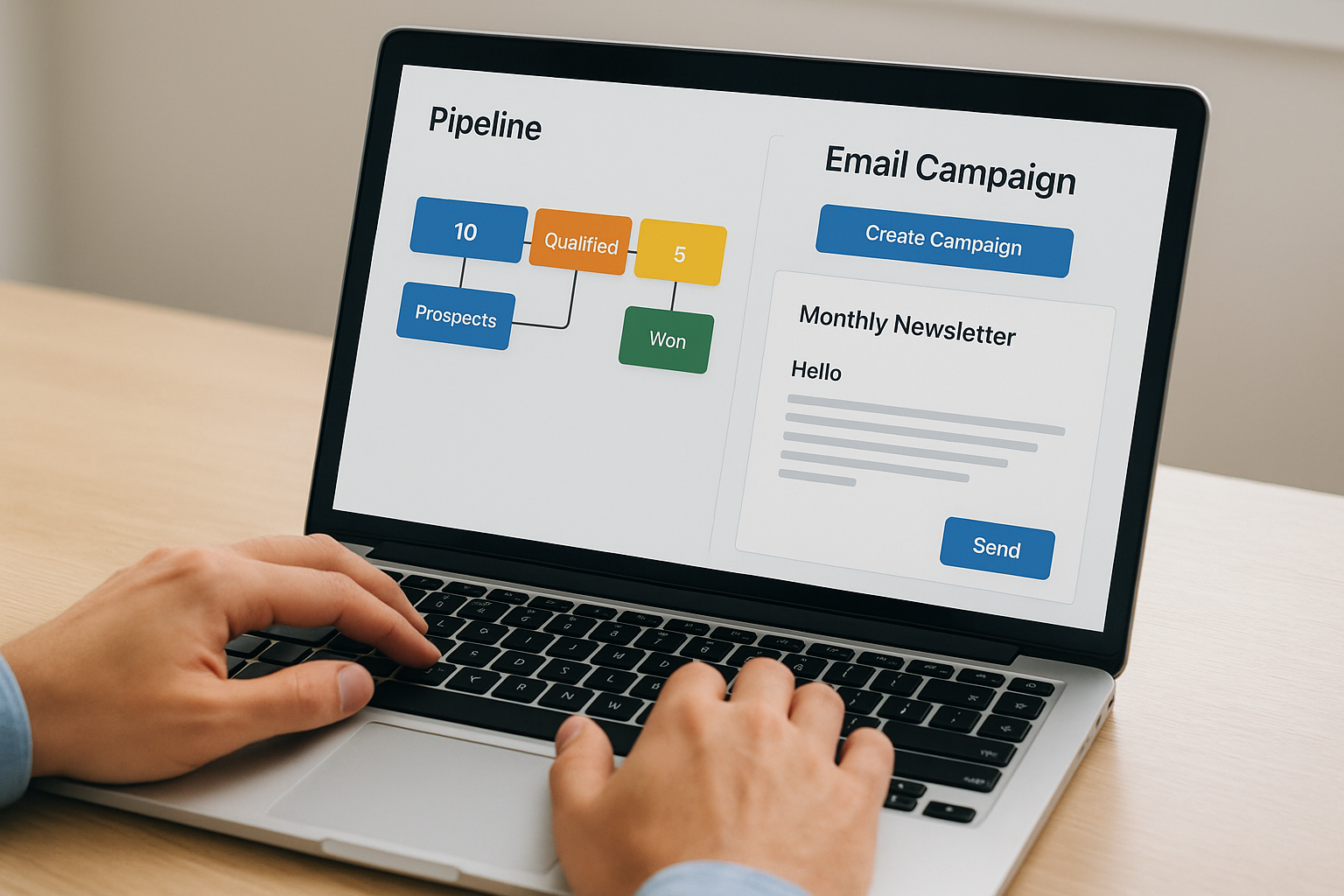
Nutshell delivers a sales-focused CRM platform with an add-on email marketing module called Campaigns that handles your automated messaging alongside pipeline management. The system emphasizes visual deal tracking and straightforward workflows that keep your sales process organized without overwhelming you with complicated features. This crm with email automation suits businesses that want their pipeline and outreach tools working together in one accessible platform.
What it does
Nutshell manages your sales activities through customizable pipelines that show every deal’s progress while the Campaigns module lets you send newsletters, broadcasts, and automated drip sequences to your contacts. You can trigger email sequences based on user activity like form submissions or link clicks and stop them automatically when recipients complete your defined goals. The platform supports 10 languages and 150+ currencies, making it practical for teams selling across international markets.
Email automation features
The drag-and-drop email editor provides access to 40+ professionally designed templates you can customize to match your brand and messaging needs. You get automated drip sequences that follow linear paths, though the system doesn’t support branching workflows or complex multi-step conditions like some advanced platforms offer. Notifications alert you when contacts click links or submit forms so your sales team can follow up while interest runs high.
CRM and sales tools
Nutshell provides visual pipeline management with the ability to create custom sales stages that match exactly how your business operates. The platform includes AI agents that suggest next steps, help you plan follow-ups, and even assist with drafting email content through built-in writing tools. Meeting scheduling, prospecting features, and a chat widget round out the sales toolkit.
Ease of use for non tech users
The interface buries features several layers deep in the navigation system, which means finding specific tools requires clicking through multiple menus. Setup feels straightforward for basic tasks, though the pricing structure with multiple tiers and add-ons can create confusion about actual costs.
Pricing for small businesses
The Sales Foundation plan costs $19 monthly per user and includes CRM basics with free access to basic email marketing features limited to 150 emails monthly. Campaigns Pro adds full email capabilities starting at $49 monthly for 1,000 contacts with A/B testing and advanced attribution.
When this tool is a good fit
Choose Nutshell when you need pipeline management as your primary focus with straightforward email campaigns supporting your sales efforts rather than running sophisticated marketing operations.
"The platform works best when your team spends most time managing deals and needs simple ways to nurture leads without complex automation."
10. Salesmate
Salesmate combines comprehensive contact management with built-in calling and texting capabilities that let you communicate with prospects across multiple channels without switching between separate tools. The platform stores rich customer insights including email history, deals, and activity logs that give you complete context before every conversation. This crm with email automation stands out because it includes phone and SMS features in all pricing tiers, making it valuable for businesses that rely on direct communication alongside automated email sequences.
What it does
Salesmate organizes your sales activities around detailed contact profiles that track every interaction your team has with each prospect or customer. You can make calls directly from the platform, record conversations, and send text messages to contacts in over 90 countries without purchasing separate communication tools. The system automatically logs all activities so you maintain complete visibility into your team’s efforts and customer engagement patterns.
Email automation features
The platform provides personalized email templates that pull contact-specific information like company name, city, and last communication date directly from your CRM database. You can build automated email sequences, though the system limits you to sending 250 mass emails per batch, requiring multiple sends for larger contact lists. Workflow automation handles follow-up messages triggered by specific contact actions or timeline events.
CRM and sales tools
Salesmate offers three automation types including workflows, sequences, and automation journeys that each serve different purposes in your sales process. Pipeline management tools show your deals organized by stage with customizable layouts and fields that match how your business actually operates. Task management keeps your team organized with automatic reminders and assignment rules.
Ease of use for non tech users
The interface presents information clearly, though understanding the differences between automation types requires some learning time before you can use each one effectively. Built-in calling features work seamlessly without complicated setup processes or integration requirements.
Pricing for small businesses
The Basic plan costs $15 monthly per user but doesn’t include email marketing capabilities, making it unsuitable for automation needs. Pro pricing reaches $39 per user monthly and adds bulk emails with 500 daily sequence emails per user.
When this tool is a good fit
Choose Salesmate when your business needs integrated calling and texting alongside email automation rather than managing separate communication tools.
"The built-in phone system eliminates monthly costs for third-party calling services while keeping all communication logged in your CRM."
11. Benchmark Email
Benchmark Email combines straightforward email marketing tools with a lightweight CRM system that handles your basic contact management needs without complicated setup processes. The platform emphasizes simplicity and ease of use over advanced features, making it accessible for business owners who want to start sending automated campaigns quickly. This crm with email automation works well when you need essential marketing capabilities without paying for sophisticated tools you won’t actually use.
What it does
Benchmark Email manages your contact lists while letting you design campaigns using a drag-and-drop editor that requires no technical knowledge or coding skills. You can create signup forms and landing pages that capture leads and automatically add them to your database with proper organization. The platform tracks email engagement data in contact profiles so you understand how each person interacts with your messages.
Email automation features
The system uses trigger-based automation that sends welcome emails automatically when someone subscribes to your list or completes other specific actions you define. You get access to pre-built templates designed for common scenarios like converting subscribers into customers through timed sequences. A/B testing lets you compare different subject lines or content variations to identify what generates better open rates and clicks.
CRM and sales tools
Benchmark Email provides basic contact profiles that include email engagement history but lacks advanced CRM features like deal pipelines or sales forecasting tools. The WordPress plugin makes adding forms to your website straightforward without copying code snippets or managing complex integrations.
Ease of use for non tech users
The interface presents options clearly with guided workflows that walk you through campaign creation step by step. Customer support responds quickly when you encounter problems, helping you resolve issues without long wait times or confusing documentation.
Pricing for small businesses
The free plan includes 500 contacts and 3,500 monthly emails with basic email design, form creation, and performance tracking features. Lite plans start at $9.99 monthly for the same contact limit but add email scheduling and landing pages.
When this tool is a good fit
Choose Benchmark Email when you want simple email automation without extensive CRM capabilities or when your budget stays extremely tight and you need reliable basic features.
"The straightforward approach works perfectly for beginners who feel intimidated by platforms packed with advanced options."
12. OnePageCRM and Mailchimp
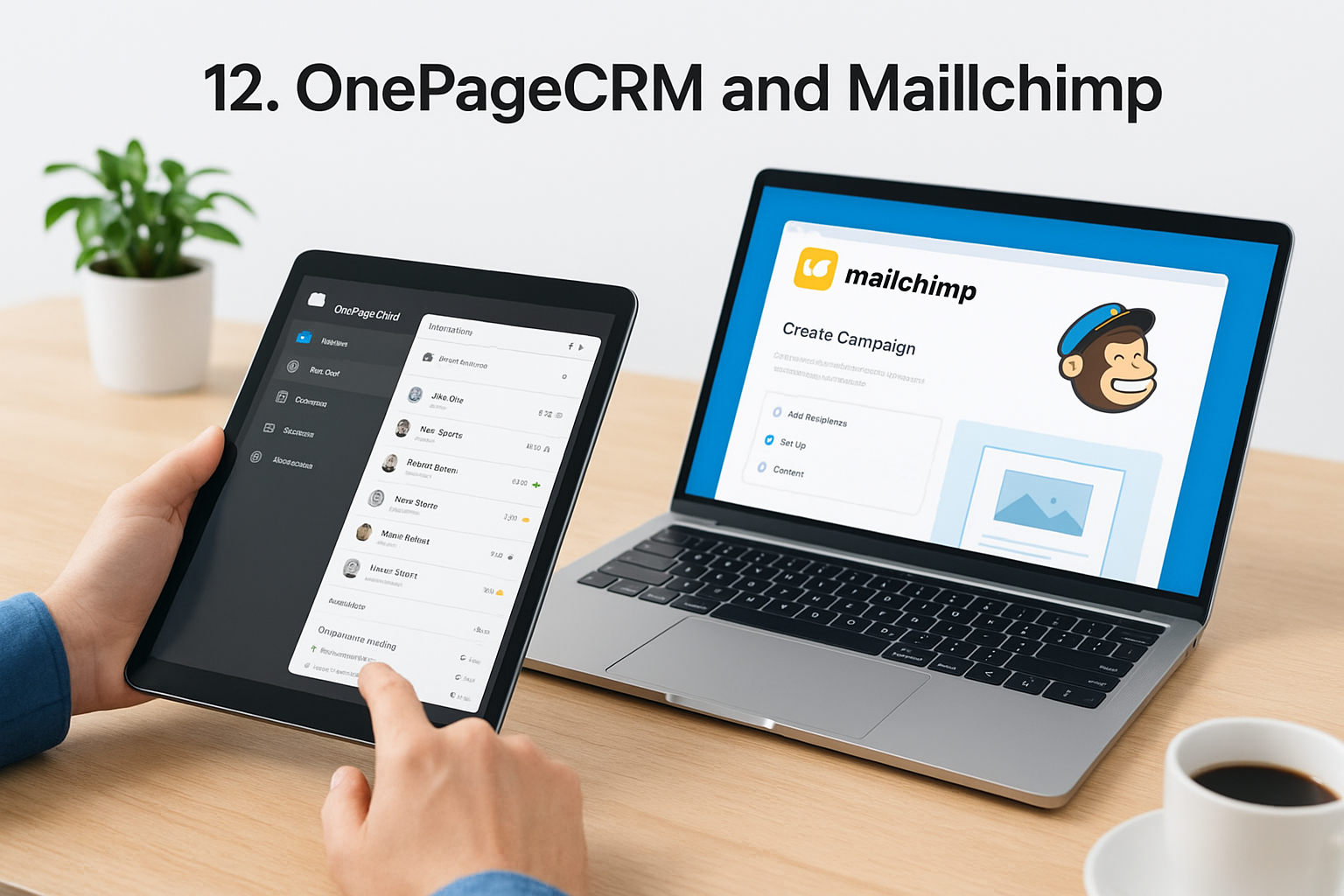
OnePageCRM pairs with Mailchimp to create a cost-effective combination that separates your sales activities from marketing campaigns while keeping both systems synchronized through native integration. The setup connects OnePageCRM’s simple contact management with Mailchimp’s powerful email automation platform so your contacts automatically sync between tools without manual exports or imports. This crm with email automation approach gives you specialized tools for each function instead of compromising with an all-in-one platform that tries to do everything but excels at nothing.
What it does
OnePageCRM handles your one-to-one sales conversations and tracks deals through your pipeline while Mailchimp manages broadcast campaigns and automated email sequences to larger audiences. You get complete visibility into customer relationships through OnePageCRM’s organized interface while Mailchimp delivers your marketing messages across email, SMS, and social channels. The integration pushes contact updates between systems automatically so changes in one platform reflect immediately in the other.
Email automation features
Mailchimp provides sophisticated workflow builders that let you create campaigns with up to 200 steps including conditional branches based on contact behavior and engagement patterns. You can trigger automated sequences when contacts change status in OnePageCRM, sending welcome series or nurture campaigns without manual intervention. A/B testing, send-time optimization, and detailed analytics help you refine campaigns for better performance over time.
CRM and sales tools
OnePageCRM keeps your sales process organized with automatic contact sorting by urgency and next action reminders that prevent follow-ups from slipping through cracks. Pipeline visualization shows exactly where each deal stands while email tracking notifies you when prospects open your messages. Built-in calling and meeting scheduling tools let you communicate effectively without leaving the platform.
Ease of use for non tech users
Both platforms offer straightforward interfaces designed specifically for small business owners without technical backgrounds or IT support. Connecting the two systems takes just minutes through OnePageCRM’s native integration settings, requiring no coding or complicated configuration steps.
Pricing for small businesses
OnePageCRM costs $9.95 monthly while Mailchimp’s free plan handles 500 contacts with basic automation, bringing your total to under $10 for entry-level needs. Mailchimp Standard starts at $20 monthly for advanced features, making the complete package around $30 to $55 depending on your contact list size and required capabilities.
"The combination costs significantly less than platforms like HubSpot or ActiveCampaign while delivering comparable functionality."
When this tool is a good fit
Choose this combination when you want specialized tools that each excel at their specific function rather than settling for mediocre all-in-one software trying to handle everything.
13. Drip
Drip specializes in ecommerce automation that connects directly to your online store platform and tracks every customer purchase, order history, and lifetime value automatically. The system focuses on helping online retailers send targeted campaigns based on shopping behavior rather than providing traditional CRM tools like deal pipelines or sales forecasting. This crm with email automation works best when your business sells products online and needs sophisticated customer tracking tied to actual purchase data instead of general contact management features.
What it does
Drip integrates with major ecommerce platforms including Shopify, WooCommerce, and BigCommerce to populate your contact database with detailed customer information automatically. You can track how much each person has spent with your business and view complete order histories that show exactly which products they’ve purchased. The platform segments customers automatically based on their shopping patterns so you can send relevant promotions to people most likely to buy specific products.
Email automation features
The system provides pre-built ecommerce workflows designed specifically for online stores including abandoned cart reminders, post-purchase follow-ups, and product recommendation sequences. You get access to behavioral triggers that send messages based on browsing history, purchase frequency, and customer lifetime value calculations. Drip doesn’t lock features behind expensive tiers, giving you access to all automation capabilities regardless of which pricing level you choose.
CRM and sales tools
Drip’s contact profiles show complete purchase histories and customer lifetime value metrics but lack traditional CRM features like deal pipelines or sales stage tracking. The platform focuses entirely on marketing automation rather than sales management, making it unsuitable if you need tools for managing individual deals or tracking sales team activities.
Ease of use for non tech users
The interface organizes information around customer shopping behavior, which makes sense if you run an online store but might feel unfamiliar if you’re coming from traditional CRM platforms.
Pricing for small businesses
Plans start at $39 monthly for 2,500 contacts with all features included, scaling up as your customer list grows.
When this tool is a good fit
Choose Drip when you operate an online store and need automation that responds to customer shopping behavior rather than general business contact management.
"The ecommerce focus delivers powerful insights for retailers but limits usefulness for service businesses or B2B companies."
Final thoughts
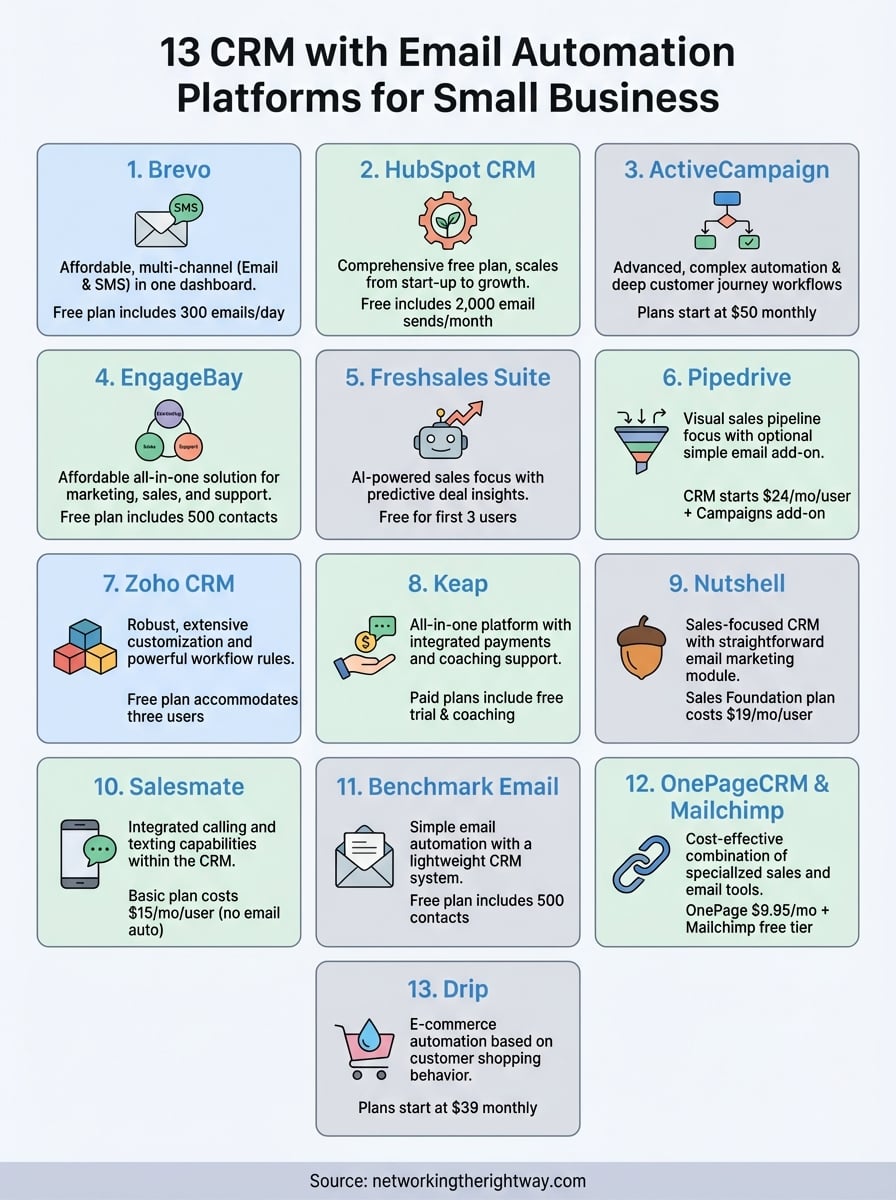
Choosing the right crm with email automation changes how efficiently you communicate with customers and manage your growing contact list. Each platform on this list offers different strengths, from Brevo’s affordable pricing to ActiveCampaign’s sophisticated workflows and HubSpot’s comprehensive free plan. Your best choice depends on your budget, technical comfort level, and whether you prioritize simplicity or advanced features.
Start with free trials to test platforms that match your needs before committing your budget to monthly payments. Most businesses find success with tools that balance essential automation features with straightforward interfaces they can actually use without hiring technical help. Remember that the most expensive platform doesn’t automatically work best for your specific situation.
Building your online business requires the right tools working together to support your growth. If you’re ready to start creating income streams that don’t require complicated technical skills, check out this simple way to build a business online that works for people at any experience level.