You want to create better content but staring at a blank document wondering what information your writer needs feels overwhelming. Should you include keywords? How many words should the article be? What about formatting requirements? Without a clear structure, your content briefs might be missing critical details or stuffed with unnecessary information. Your writer gets confused. You get frustrated. The final article misses the mark. This cycle wastes your time and money.
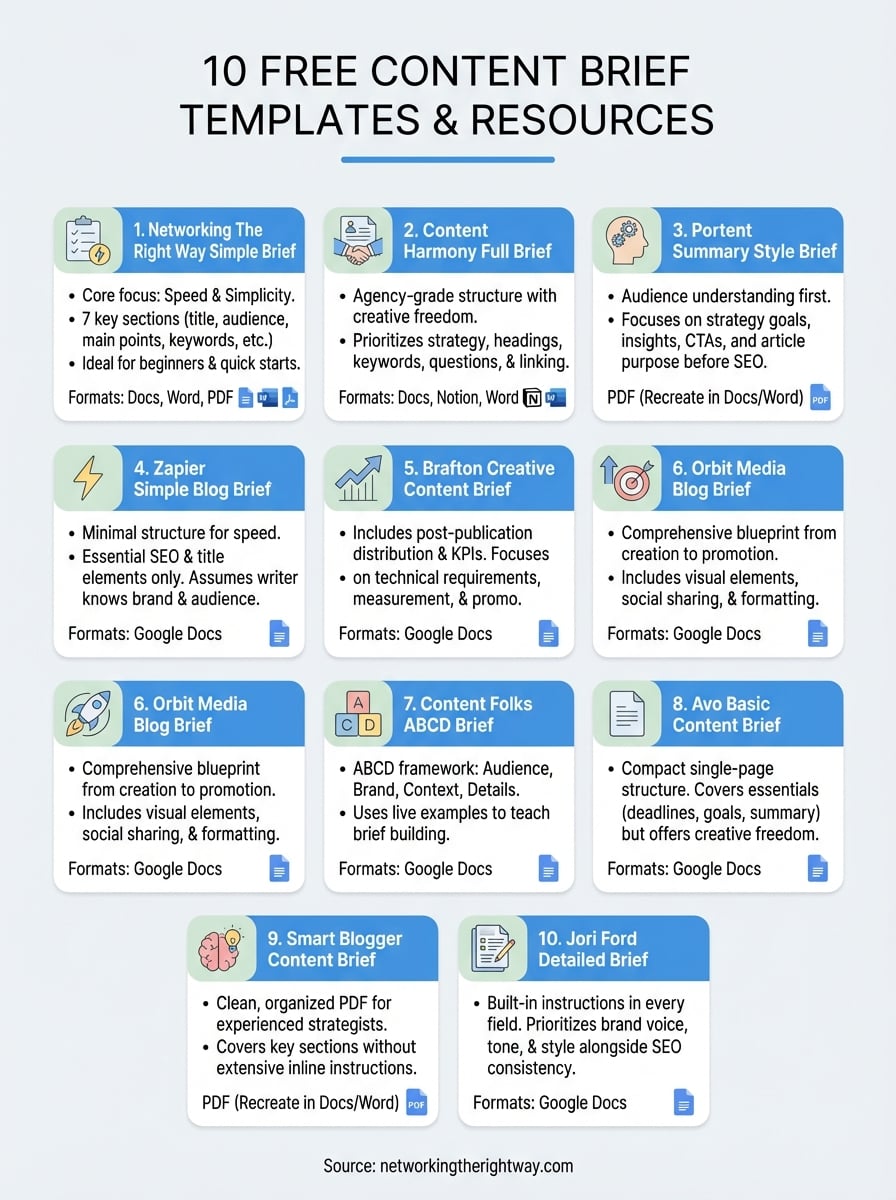
Here’s the solution. You don’t need to build a content brief from scratch. We’ve collected 10 free content brief templates you can download right now in PDF, Google Docs, and Word formats. Each template comes ready to use with clear sections and straightforward instructions. Whether you need something basic to get started quickly or a comprehensive template with detailed guidance, you’ll find options that match your experience level. Every template in this list is free, tested, and designed to help you communicate exactly what you need from your content writers.
1. Networking The Right Way simple brief template
This content brief template strips away complexity and gives you exactly what you need to guide a writer without overwhelming details. You get seven core sections that cover your article title, target audience, main points to include, word count goal, keywords to use naturally, and links to add. The template takes you about five minutes to fill out, which means you spend less time planning and more time getting content published.
What this template includes
Your template provides basic structure fields that keep your brief organized without demanding extensive research or technical knowledge. You’ll find sections for your working title, your ideal reader description, three to five main topics to cover, suggested word count, and primary keyword guidance. The template also includes space for internal and external links you want your writer to add. Each field comes with simple instructions written in plain language.
Who this template is best for
This template works perfectly if you’re just starting with content creation or you’ve tried complicated systems before that didn’t stick. You’ll appreciate how it skips the technical jargon and focuses on communication basics. Beginners over 50 who want straightforward tools without learning curves will find this approach refreshing.
Simple doesn’t mean incomplete. This template gives writers everything they need to create focused, helpful content.
File formats and access
You can download this template in Google Docs, Microsoft Word, and PDF formats for free. The Google Docs version lets you make a copy to your own drive with one click, while the Word and PDF versions work offline when you need them.
2. Content Harmony full content brief template
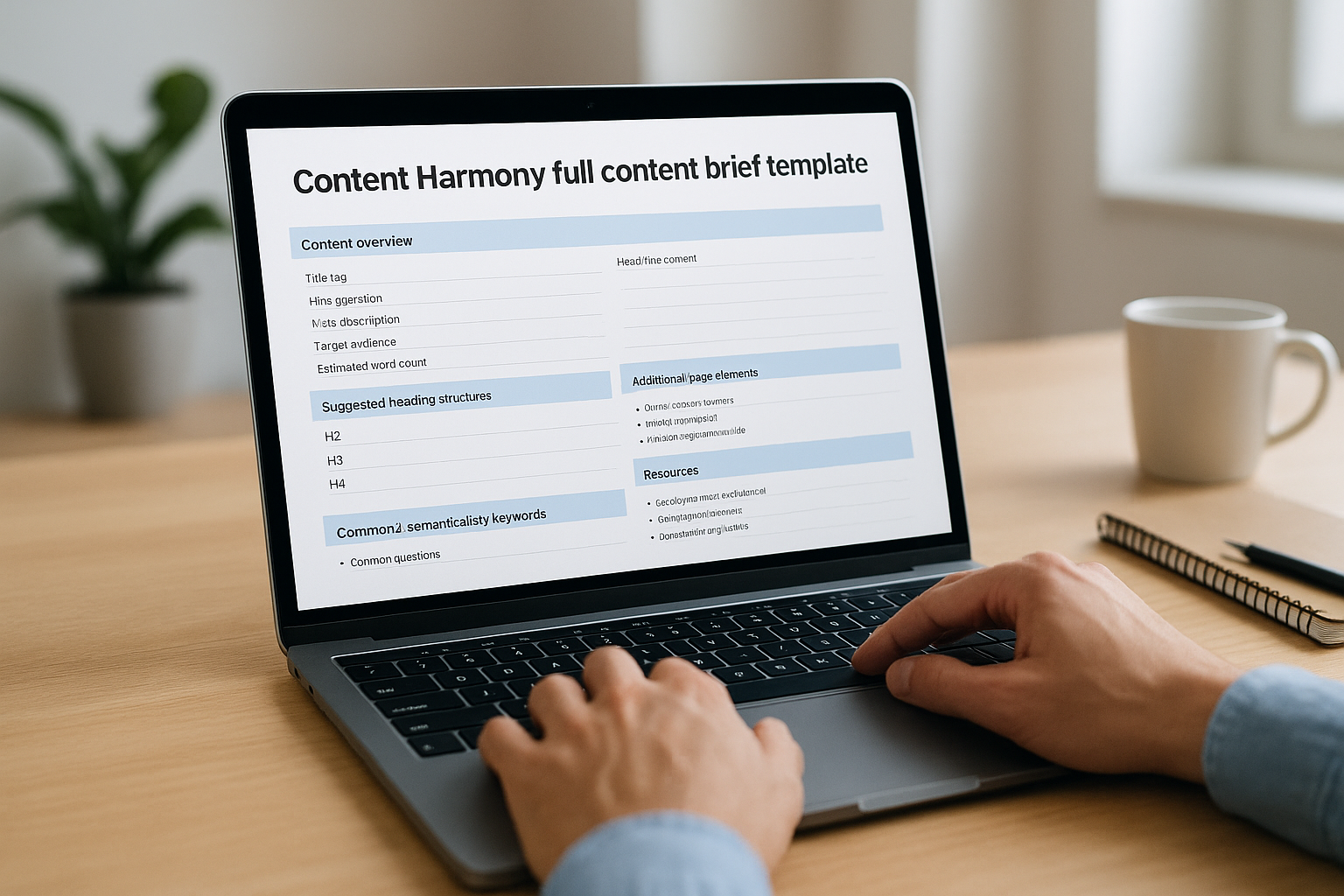
Content Harmony built this content brief template based on real agency experience working with dozens of writers and hundreds of content projects. You get a comprehensive two-page document that balances structure with creative freedom, giving your writer clear direction without boxing them into rigid formulas. This template stands out because it prioritizes high-level strategy details upfront, then dives into the tactical elements your writer needs to produce search-optimized content that actually helps readers.
What this template includes
Your template starts with a content overview section that captures title tags, H1 suggestions, meta descriptions, target audience details, and estimated word count at a glance. Below this, you’ll find sections for suggested heading structures (H2s, H3s, and H4s), primary and semantically related keywords, common questions people ask about your topic, and recommendations for additional page elements like tables or screenshots. The template also guides you through internal and external linking suggestions, resources to help your writer, audience-specific details, and brand tone guidelines. Each section includes helpful instructions so you understand what information belongs where.
This template does the heavy lifting by providing structure while giving writers creative freedom to approach topics in their own voice.
Who this template is best for
This content brief template works best if you manage multiple writers or freelancers who need consistent direction across different projects. You’ll appreciate how it addresses both SEO requirements and audience needs without favoring one over the other. Content managers who want to prevent endless revision cycles will find the comprehensive sections reduce confusion and misalignment before writing begins.
File formats and access
You can download this template in Google Docs, Notion, and Microsoft Word formats completely free. The Google Docs version lets you click “Make A Copy” to add it directly to your Drive, while the Word version downloads as a .DOCX file you can edit offline.
3. Portent summary style brief template
Portent designed this content brief template to put audience understanding first before diving into technical SEO requirements. You get a well-organized PDF document that starts with a summary section capturing high-level information your writer needs to set the right tone and approach from the beginning. This template helps you communicate not just what to write, but why you’re writing it and who benefits from reading it.
What this template includes
Your template begins with strategy goals and audience insights that help your writer understand the purpose behind every paragraph they create. You’ll find dedicated sections for primary calls-to-action, article goals (educational versus conversion-focused), and target audience characteristics that shape the writing style. Lower sections cover your essential SEO elements including target keywords, internal linking suggestions, title tags, and meta descriptions. Each section flows logically from strategic thinking to tactical execution.
This template optimizes for readers first and search engines second, which produces content that both groups appreciate.
Who this template is best for
This content brief template works perfectly if you want to maintain brand voice consistency while still meeting search optimization requirements. You’ll benefit from this approach if you’ve struggled with content that ranks well but fails to engage readers or drive conversions. Writers who need context about audience needs before tackling keyword requirements will produce better work with this structured guidance.
File formats and access
You can download this template as a free PDF file from Portent’s website. The PDF format isn’t directly editable, but you can easily recreate the structure in Google Docs or Microsoft Word by referencing the layout and sections provided.
4. Zapier simple blog brief template
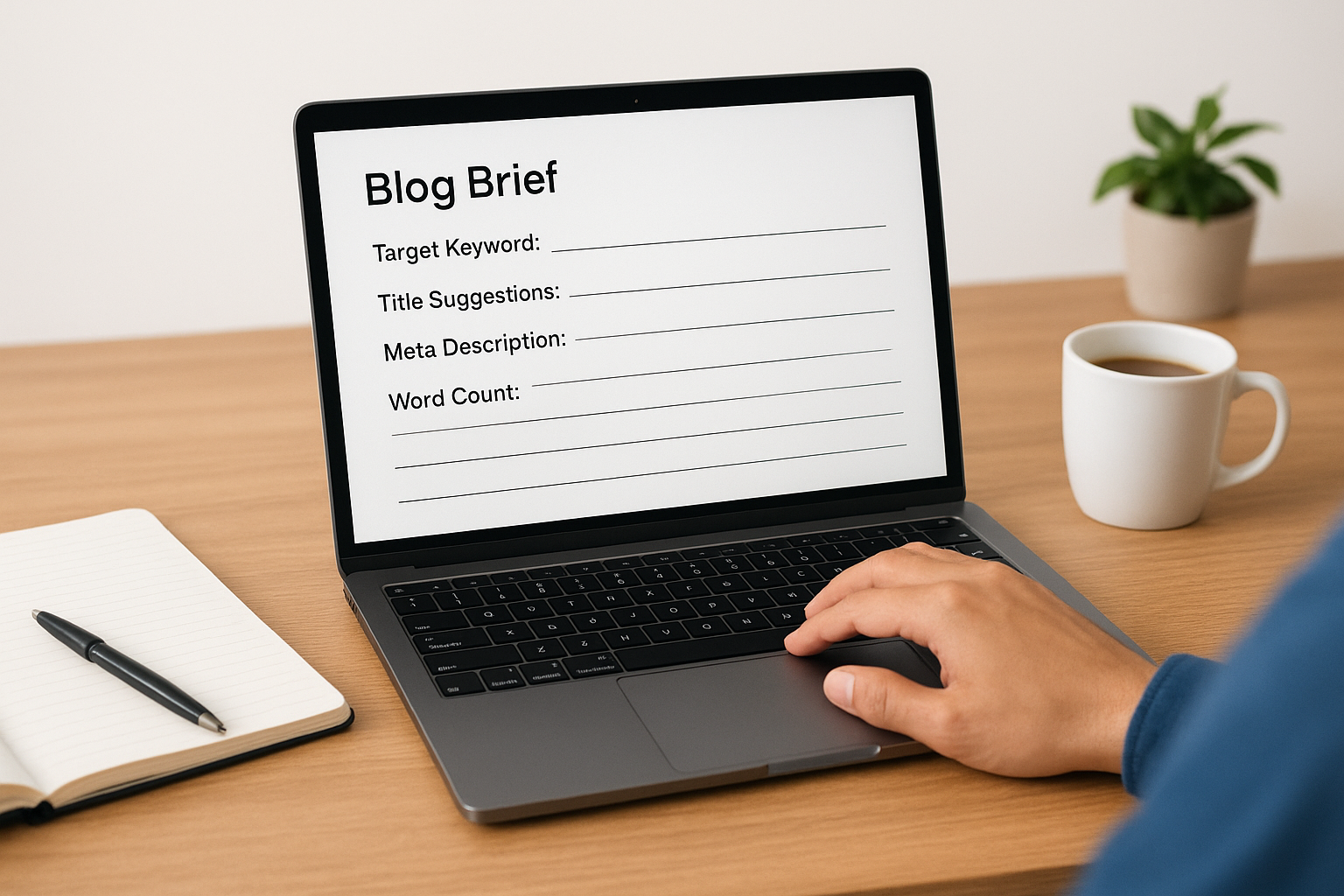
Zapier offers a straightforward blog brief template that focuses on speed and simplicity. You get a minimal structure designed for quick setup when you need to communicate basic expectations to writers fast. This template works best when you already have experienced writers who understand your brand voice and content standards, since it provides less detailed guidance than comprehensive alternatives.
What this template includes
Your template covers essential SEO elements including target keywords, title suggestions, meta descriptions, and word count requirements. You’ll find sections for your primary keyword focus and basic structural guidance. The template skips detailed sections for audience insights, search intent analysis, or article structure outlines, which means your writer has significant freedom to interpret how they’ll approach the topic. You won’t find specific guidance about questions to answer or linking suggestions with anchor text recommendations.
This template assumes your writer already knows your audience and content style, making it ideal for established relationships.
Who this template is best for
This content brief template works when you’re publishing content quickly with writers who already understand your expectations. You’ll appreciate this approach if you’ve built strong working relationships with freelancers who’ve written multiple pieces for you before. Small teams or solo creators who want to maintain flexibility without lengthy briefing processes will find this template sufficient for basic content projects.
File formats and access
You can access this template as a free Google Docs file from Zapier’s website. The document lets you make your own copy with standard Google Docs functionality.
5. Brafton creative content brief template
Brafton calls this a creative brief rather than a content brief template, and it delivers a comprehensive document that covers most essential elements your writer needs. You get helpful explainer text inside each section that clarifies what information belongs there and why it matters for your content’s success. The template stands out because it includes post-publication considerations like distribution recommendations and key performance indicators, which most brief templates overlook.
What this template includes
Your template provides sections for SEO essentials including target keywords, internal links, title tags, and meta descriptions alongside recommendations for content distribution channels. You’ll find dedicated spaces for distribution strategies and KPIs that help you measure success after publication. Each section comes with clear instructions that explain its purpose. The template focuses heavily on technical requirements and measurement, though it doesn’t include specific sections for brand voice details, audience characteristics, buyer journey stage, or recommended calls-to-action. Writers receive strong guidance on what to optimize for search engines, but they’ll need additional direction about tone and audience needs.
This template bridges the gap between content creation and content promotion by including distribution planning in your brief.
Who this template is best for
This content brief template works best if you manage content campaigns that require clear measurement and distribution planning from the start. You’ll appreciate how it addresses the complete content lifecycle instead of stopping at publication. Marketing teams who need to track performance metrics and coordinate distribution across multiple channels will find the included sections reduce planning time later.
File formats and access
You can download this template as a free Google Docs file from Brafton’s website. The document allows you to make your own editable copy that you can customize for your specific projects and team workflows.
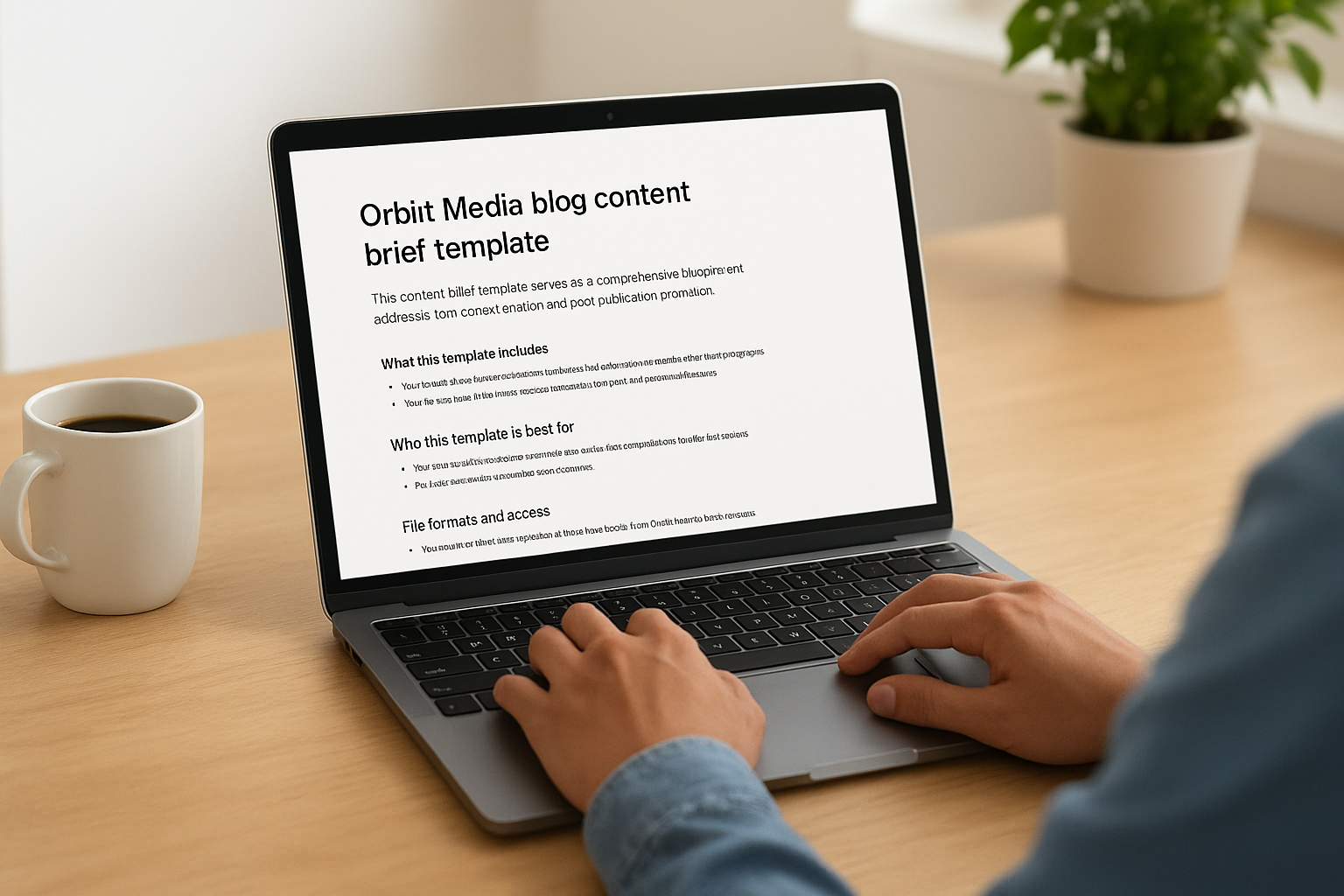
6. Orbit Media blog content brief template
Orbit Media created this content brief template as a comprehensive blueprint that addresses both content creation and post-publication promotion. You get a detailed document that guides your writer through the entire content lifecycle, from understanding audience needs through social media distribution. This template works differently from basic brief options because it includes reminders about content formatting best practices and promotional strategies that extend beyond just writing and publishing.
What this template includes
Your template provides clear instructions for creating scannable content with short paragraphs, helpful visuals, and contributor quotes that add credibility. You’ll find sections dedicated to audience insights, brand considerations, and contextual information that shape your content’s direction. The template includes guidance for visual elements like screenshots and formatting requirements that improve readability. What sets this apart is its coverage of promotional activities including influencer marketing, email marketing campaigns, and social media distribution with tracking URLs. Each section comes with reminder-style instructions that reinforce best practices your writer should follow.
This template treats content creation as part of a larger marketing system rather than an isolated writing task.
Who this template is best for
This content brief template works best for smaller teams where your writer participates in marketing activities beyond just creating content. You’ll appreciate this approach if your writer needs to understand distribution strategies and promotional planning from the start. Solo creators or small marketing teams who wear multiple hats will find the comprehensive guidance reduces decision fatigue about what happens after content goes live.
File formats and access
You can download this template as a free Google Docs file from Orbit Media’s website. The document lets you create your own editable copy that you can customize for your team’s specific workflow and requirements.
7. Content Folks ABCD brief template
Content Folks created this content brief template using the ABCD framework that goes beyond basic competitor research to emphasize brand-specific information and data. You get a detailed document that walks you through a live example showing exactly how to build a brief for actual content, making the learning process concrete instead of theoretical. This template helps you understand not just what sections to include, but how to fill them out with substance that gives your writer real direction.
What this template includes
Your template organizes information into four strategic categories that guide your content creation systematically. The Audience section captures details about the people who’ll read your content including their needs and preferences. Brand covers the company and product information that shapes your content’s perspective and voice. Context provides piece-specific instructions like keywords to target naturally and internal links to include with suggested anchor text. Details gives your writer useful planning information including formatting requirements, word count targets, and research resources. Each section comes with explanations and a worked example that demonstrates how a content manager might build a brief for a piece about content calendars.
This template teaches through example, showing you exactly how each section should look when properly completed.
Who this template is best for
This content brief template works perfectly if you want to create brand-focused content instead of generic pieces that only chase competitor keywords. You’ll benefit from this approach when building content that reflects your unique perspective and expertise. Content managers who need to train new team members on briefing best practices will find the detailed example reduces confusion about expectations.
File formats and access
You can download this template as a free Google Docs file from Content Folks’ website. The document allows you to make your own copy that you can customize for your specific brand voice and content requirements.
8. Avo basic content brief template
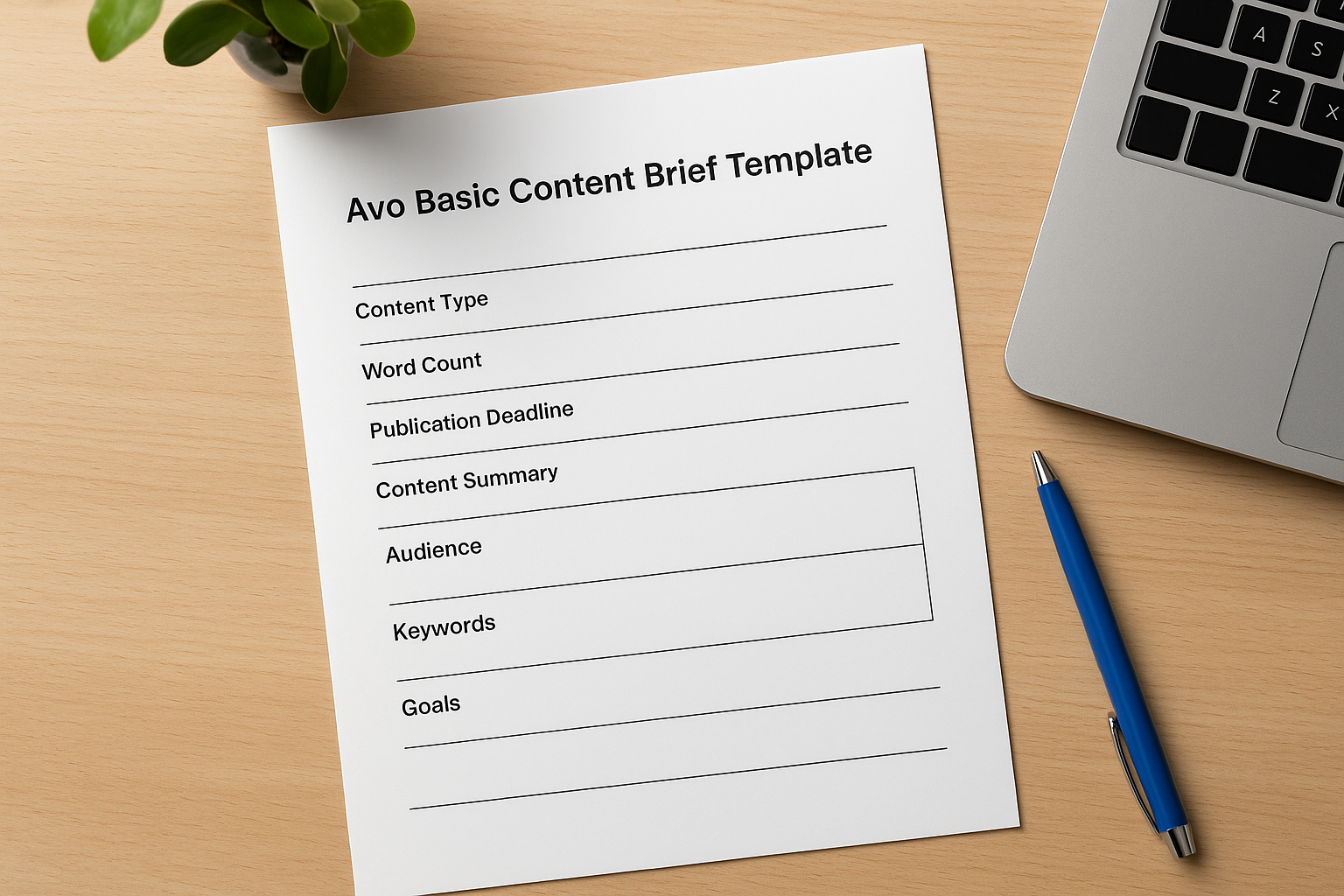
Avo designed this content brief template to deliver a compact structure that covers critical information without overwhelming you with unnecessary details. You get a single-page document that fits essential briefing elements into a clean layout, making it quick to fill out and easy for writers to reference. The template focuses on practical sections that communicate your basic requirements, though it leaves significant room for writer interpretation in areas like article structure and content approach.
What this template includes
Your template provides sections for content type classification, intended word count, publication deadlines, and a content summary that gives your writer context. You’ll find spaces for audience background information, keyword targets, and business goals that shape the content’s purpose. The template covers fundamental elements most briefs need, but it skips detailed guidance about article structure with specific heading recommendations, questions your content should answer, or linking suggestions with anchor text. Writers receive enough direction to understand your expectations without prescriptive instructions about how to organize their writing.
Who this template is best for
This template works well if you prefer giving writers creative freedom while still communicating essential project parameters. You’ll appreciate this approach when working with experienced freelancers who understand content fundamentals and don’t need detailed structural guidance. Beginners who want flexibility without complex requirements will find this template accessible and quick to complete.
This template trusts your writer to make smart decisions about structure and approach based on basic direction.
File formats and access
You can download this template as a free Google Docs file from Avo’s website. The document lets you create your own editable copy by clicking the standard Google Docs copy function.
9. Smart Blogger content brief template
Smart Blogger built this content brief template as a comprehensive document that covers the essential elements your writer needs without extensive inline instructions. You get a clean PDF format that organizes information into distinct sections addressing both strategic and tactical aspects of content creation. This template assumes your content strategist already understands how to fill out brief sections, making it suitable for teams with established briefing experience.
What this template includes
Your template provides sections for key takeaways that highlight the most important points your content should communicate to readers. You’ll find dedicated space for success criteria that define what makes this piece effective once published. The document covers standard elements including target audience details, keyword guidance, heading structure suggestions, and SEO optimization requirements like meta descriptions and title tags. Each section appears clearly labeled without step-by-step instructions explaining what information belongs there, which keeps the template compact and focused on capturing your content strategy.
This template balances comprehensiveness with simplicity by including necessary sections without overwhelming you with instructions.
Who this template is best for
This content brief template works best if you already have experience creating briefs and understand what information writers need to produce quality content. You’ll appreciate the straightforward layout when you want comprehensive sections without tutorial-style guidance. Experienced content managers who’ve used multiple briefing systems before will find this template covers everything important while staying concise.
File formats and access
You can download this template as a free PDF file from Smart Blogger’s website. The PDF format works well for reference, though you’ll need to recreate the structure in an editable format like Google Docs or Microsoft Word if you want to customize sections for your specific workflow.
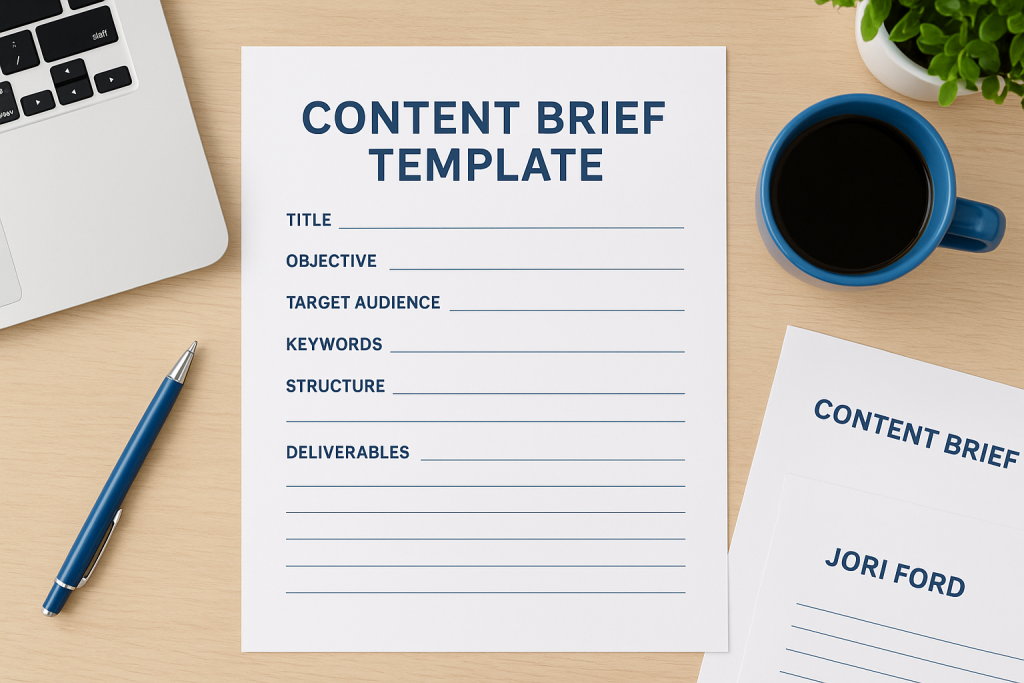
10. Jori Ford detailed brief template
Jori Ford built this content brief template with built-in instructions that guide you through filling out each section properly. You get a comprehensive document that emphasizes both consistency and quality by teaching you what information belongs in every field as you complete your brief. This template stands out because it prioritizes brand voice, tone, and style guidelines alongside standard SEO requirements, making it one of the few options that addresses how your content should sound just as thoroughly as what it should cover.
What this template includes
Your template provides detailed instruction fields that explain exactly what information to add in each section before you start typing. You’ll find spaces for working titles, target audience descriptions, search intent analysis, and keyword guidance with context about natural usage. The document includes sections for article structure with heading suggestions, questions to answer, internal and external linking recommendations, and word count targets. What makes this different is its dedicated attention to brand voice characteristics, tone requirements, and style preferences that help your writer match your existing content quality. Each field comes with clear explanations written in straightforward language that removes guesswork from the briefing process.
Instructions embedded directly in your template ensure you create consistently high quality briefs every time you use it.
Who this template is best for
This content brief template works perfectly if you need to train new team members on your briefing standards or you want to improve consistency across multiple content creators. You’ll appreciate how the instructional approach reduces confusion and prevents incomplete briefs that waste writer time. Growing teams who need standardized processes without sacrificing quality will find this template creates reliable documentation that scales as your content production increases.
File formats and access
You can download this template as a free Google Docs file from Jori Ford’s website. The document allows you to create your own editable copy that preserves all instructional text until you’re ready to customize it for your specific workflow requirements.
Next steps
You now have 10 free content brief templates you can download and start using immediately. Pick the template that matches your experience level and download it in your preferred format. Start with just one template and fill it out completely for your next article before asking your writer to begin. This practice helps you understand what information your writer actually needs.
Your content improves when you communicate clearly from the beginning. These templates give you that communication structure without requiring technical knowledge or complicated systems. Download your chosen content brief template today and create your first detailed brief this week.
Ready to turn your content into a real business? Learn a simple way to build a business online that works even if you’re starting from scratch.